

Table Of Contents
Overview
Cloud testing eliminates infrastructure overhead: Teams replace fixed CapEx hardware with pay-as-you-go cloud resources, cutting QA infrastructure costs by up to 70%. Setup drops from weeks to minutes with zero-installation SaaS platforms.
Parallel execution compresses release timelines: Running thousands of tests simultaneously across real devices and browsers shrinks sprint test cycles from weeks to days. Some teams execute 5,000+ test cases overnight.
Security and compliance require deliberate controls: Cloud environments must address GDPR, HIPAA, PCI DSS, and SOC 2 obligations through anonymised test data, role-based access, and encrypted connections. Vendor selection should prioritise certified providers.
What is Cloud Testing?
Cloud testing is a software testing methodology that uses cloud-based infrastructure, tools, and environments to validate that an application performs correctly under real-world conditions. Instead of investing in physical servers, QA teams access scalable, on-demand resources to execute functional, performance, security, and compatibility tests.
The result: teams start testing within minutes rather than waiting days or weeks for lab provisioning.
How Cloud Testing Differs From Traditional Testing
Traditional on-premises testing ties teams to fixed hardware, single-location execution, and CapEx budgets. Cloud testing replaces that model across every critical dimension.
| Dimension | Traditional (On-Premises) | Cloud Testing |
| Infrastructure | Fixed, physical hardware | On-demand, virtual |
| Setup time | Days to weeks | Minutes (zero-setup tools) |
| Scalability | Capped by hardware | Near-infinite, elastic |
| Cost model | CapEx (upfront hardware) | OpEx (pay-as-you-go) |
| Parallel execution | Limited by local resources | Thousands of concurrent tests |
| Geographic coverage | Single location | Global, multi-region simulations |
| Maintenance burden | Internal IT team | Managed by vendor |
| CI/CD integration | Complex configuration | Native integrations (30+) |
Organizations report spending 40% of QA time on infrastructure management rather than actual testing when using on-premises labs. Cloud testing eliminates that overhead entirely.
Types of Cloud Testing
Cloud environments support a broad range of test types. The most commonly executed include:
Functional Testing
Functional testing validates that every application feature works as specified. Tools such as Selenium, Appium, and Testsigma automate functional tests across browsers and devices without manual environment setup.
Load Testing
Load testing simulates thousands of concurrent users hitting the application simultaneously to measure behaviour under expected traffic. Apache JMeter, BlazeMeter, and LoadRunner are commonly used for this purpose.
Performance Testing
Performance testing measures response times, throughput, and resource utilisation under varying traffic patterns. It is critical for identifying bottlenecks before they reach end users.
Security Testing
Security testing identifies vulnerabilities, misconfigurations, and compliance gaps in the application and its cloud environment. Tools such as WhiteHat Sentinel, Nessus, and OpenVAS are widely adopted.
Compatibility Testing
Compatibility testing ensures an application works correctly across different operating systems, browsers, screen sizes, and devices. Cloud platforms like Testsigma provide access to 3,000+ real browsers and devices for comprehensive coverage.
Saas Cloud Testing
For SaaS applications, both functional and non-functional testing occur simultaneously per system requirements. NLP-based approaches reduce test creation time significantly for SaaS QA teams.
Regression Testing
Regression testing re-executes existing test suites after code changes to confirm no previously working functionality is broken. Cloud platforms accelerate regression cycles through parallel execution.
Benefits of Cloud Testing
Cloud testing delivers measurable gains across cost, speed, coverage, and team efficiency. Here are the advantages that matter most.
- Reduced Infrastructure Cost: No physical servers, hardware licensing, or on-premises maintenance. A Fortune 500 financial services firm cut annual QA costs from $15 million to $4.5 million (70% reduction) after migrating to cloud testing.
- Faster Time to Market: On-demand environments and parallel execution compress test cycles. Testsigma customers reduced sprint test time from 8 weeks to 5 weeks, with some teams running 5,000+ cases overnight.
- Elastic Scalability: Resources scale up or down based on demand, eliminating bottlenecks from fixed hardware capacity.
- Cross-Platform Coverage: Access a broad matrix of OS, browser, and real device combinations, making cross-platform testing practical for any team size.
- CI/CD Integration: Native integrations with Jenkins, Azure DevOps, CircleCI, and GitHub enable continuous testing on every commit.
- Collaboration and Reporting: Browser-accessible platforms let distributed teams share test cases, results, and dashboards from anywhere with no VPN required.
Challenges of Cloud Testing
Cloud testing offers clear advantages, but teams should account for a few operational and security considerations before migrating.
DATA Security and Compliance
Testing often involves sensitive or production-like data. Cloud environments must comply with GDPR, PCI DSS, HIPAA, and SOC 2 depending on industry. Best practice: use anonymised or synthetic test data and enforce role-based access controls (RBAC).
Bandwidth Dependency
Cloud resources are shared, so bandwidth availability can fluctuate. Teams should negotiate SLAs with cloud providers and ensure network monitoring extends to CDN and load generators.
Environment Consistency
Cloud providers frequently update their infrastructure. Version drift between testing and production environments can produce false positives. Maintaining environment parity remains a common QA challenge.
Vendor Lock-in Risk
Over-reliance on a single cloud provider may limit portability. A multi-cloud or hybrid strategy mitigates this risk.
Initial Learning Curve
Teams transitioning from on-premises testing need to understand cloud resource management, cost governance, and new tooling. Low-code platforms like Testsigma significantly flatten this curve.
How to Implement Cloud Testing with Testsigma
Follow these six steps to move from on-premises test labs to a fully cloud-based testing workflow.
Step 1: Define Test Scope
Identify which features need testing, determine critical application flows, and decide on the appropriate mix of functional, performance, security, and compatibility tests.
Step 2: Choose the Right Cloud Testing Tool
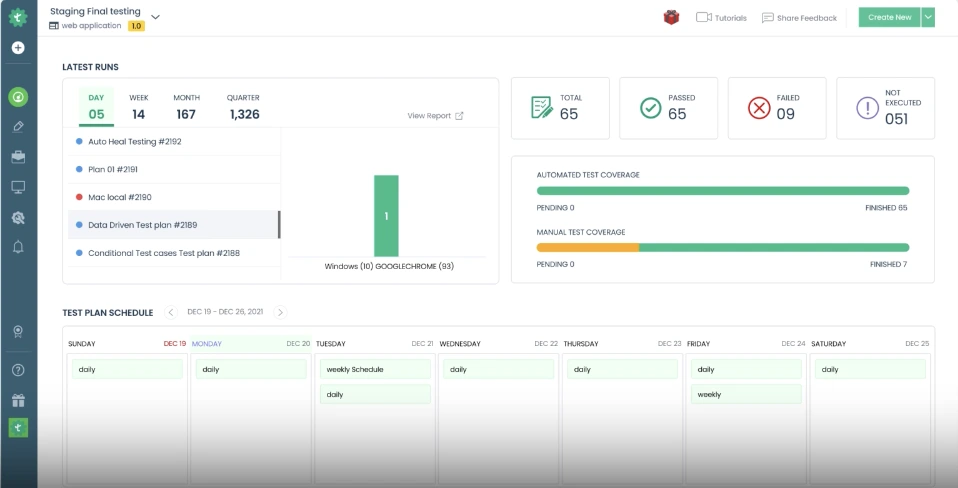
Evaluate tools based on supported application types (web, mobile, API, desktop), no-code vs. code-based workflows, parallel execution capacity, and native CI/CD integrations. Testsigma, for example, covers all four application types with AI-powered test creation from a single platform, no downloads or infrastructure setup required.
Step 3: Set up the Environment and Create a Project
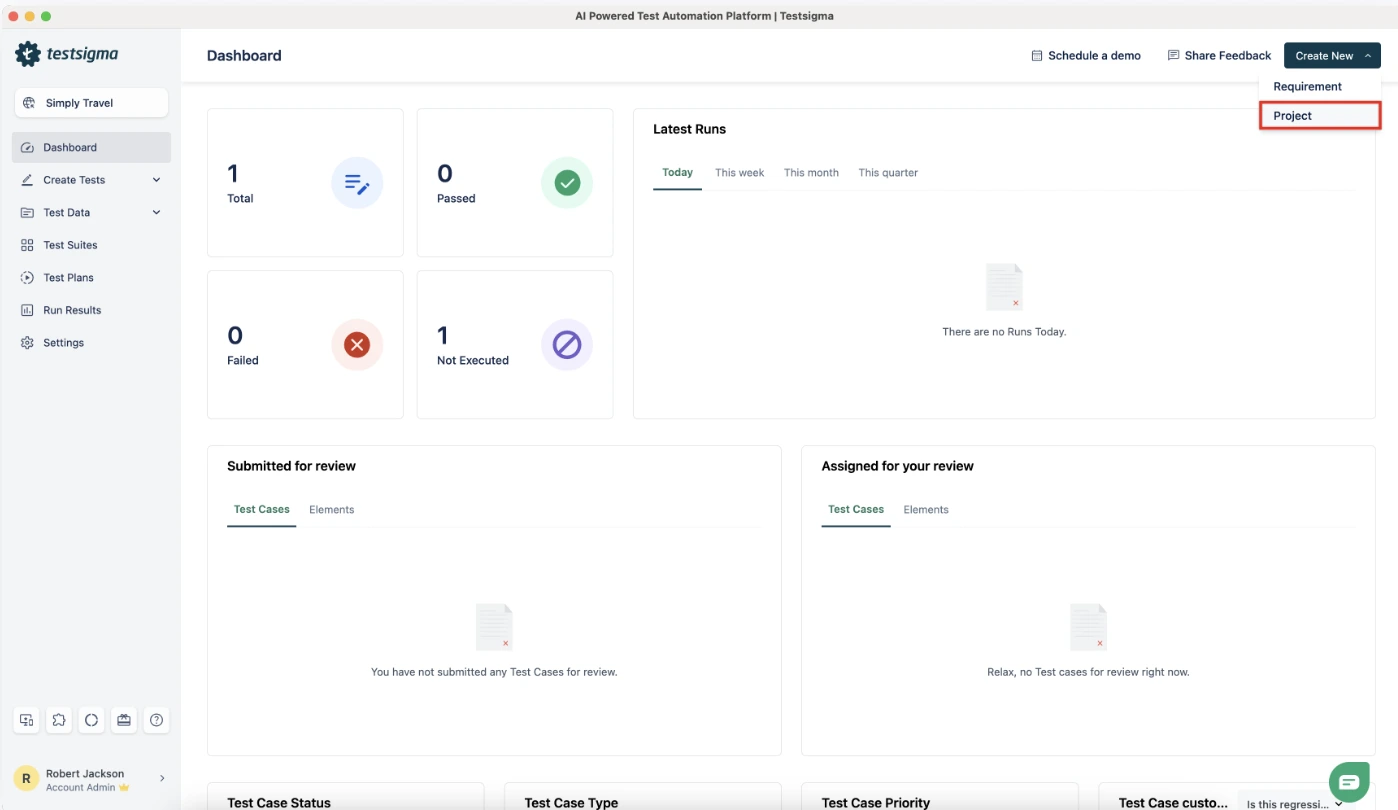
Configure a cloud environment (AWS, Azure, or Google Cloud) or use an all-in-one SaaS platform that requires zero installation. In Testsigma, sign in, create a new project from the Command Centre, and define the application under test.
Step 4: Write and Automate Tests
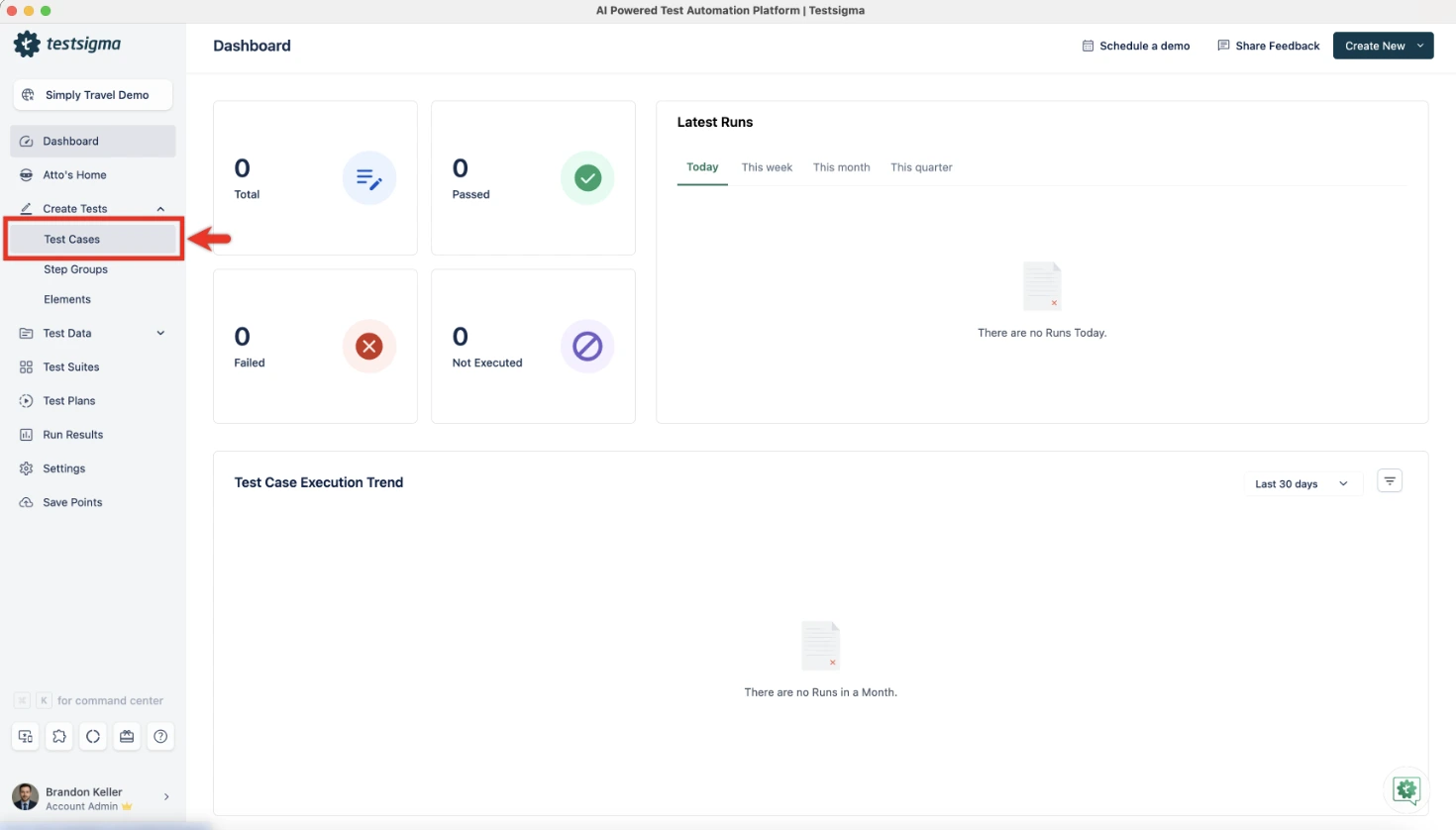
Use automation tools to handle repetitive and regression scenarios. Testsigma’s NLP step editor accepts test instructions in plain English, for example, “Navigate to login page,” “Enter username as testuser@email.com,” “Click Submit button”, so both technical and non-technical team members can contribute.
Step 5: Execute Tests in Parallel
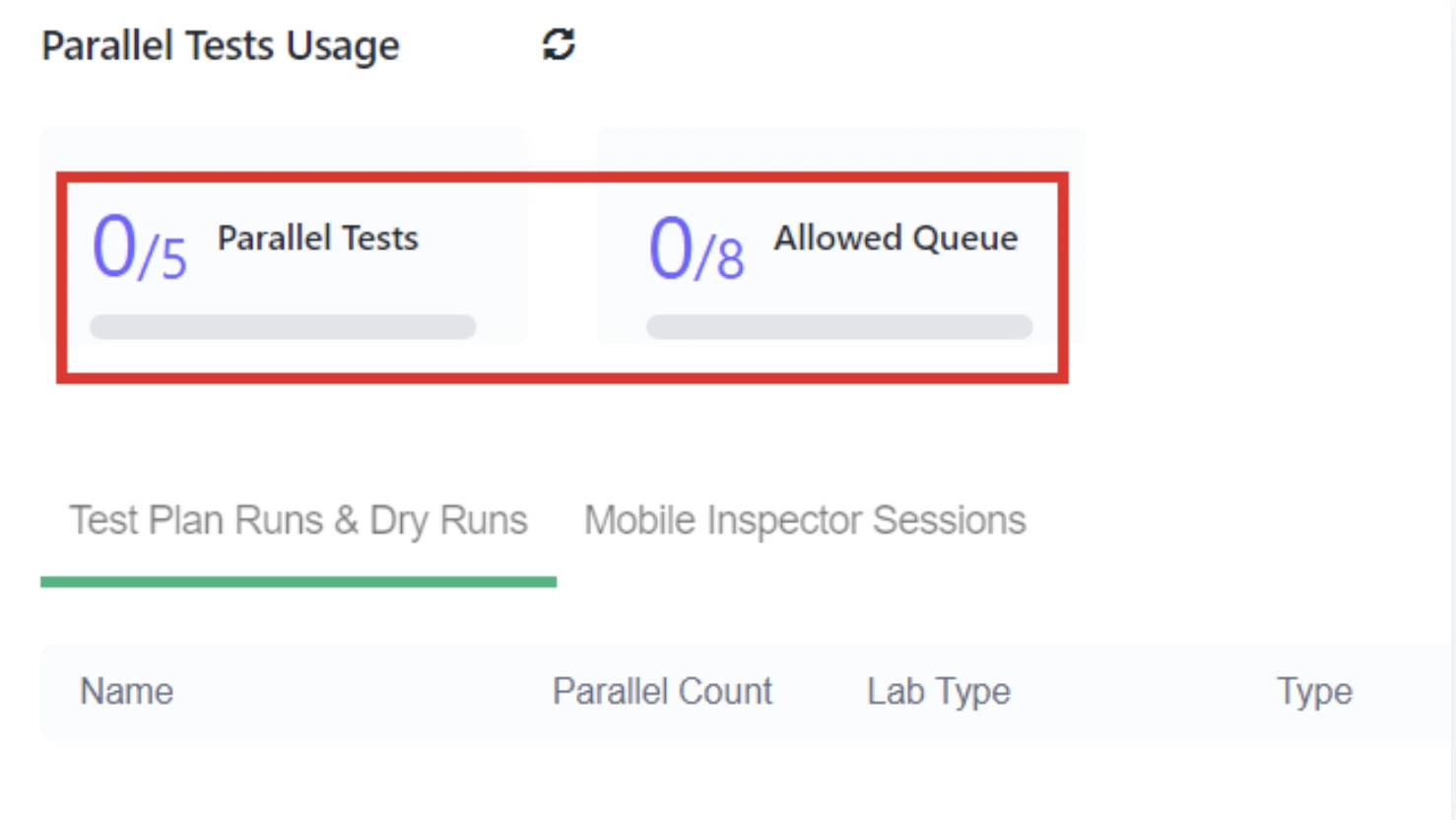
Select target browsers, OS versions, and real devices (Testsigma offers 3,000+ combinations), then run tests simultaneously to reduce execution time. Connect to Jenkins, GitHub Actions, Azure DevOps, or CircleCI using native integrations to trigger tests automatically on every commit.
Step 6: Monitor, Analyse, and Report
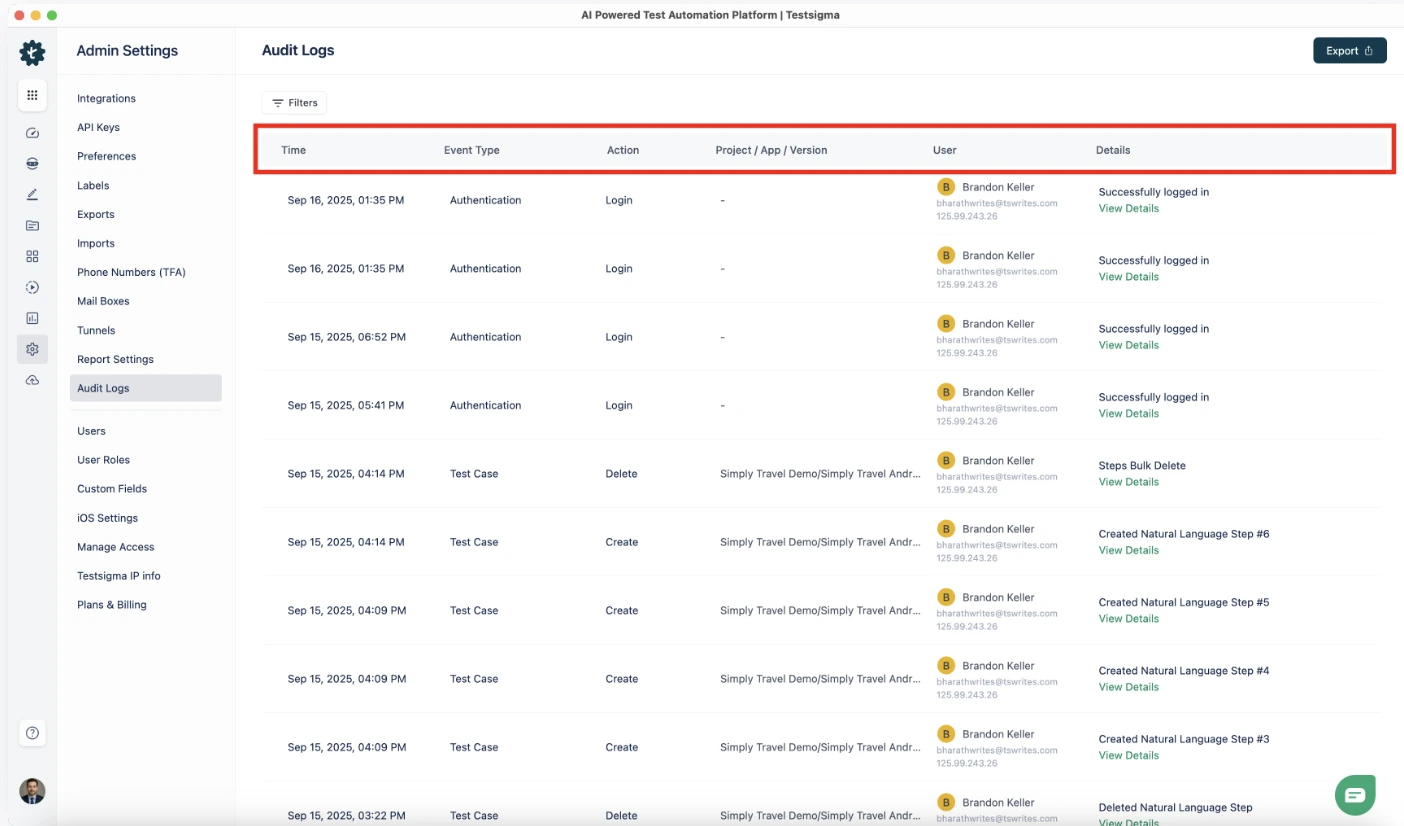
Review results in real time using dashboards. Drill down to failed test suites, view screenshots and video recordings for failed steps, identify environment-specific failures, and share stakeholder-ready reports directly from the platform.
Who is Involved in Cloud Testing?
QA Engineers design, execute, and automate test cases, leveraging cloud environments for broader coverage than local setups allow.
Cloud Architects set up and configure the cloud testing infrastructure, defining environment variables, networking, and access controls.
Developers contribute automated tests during development, enabled by low-code and NLP-based platforms that do not require deep scripting expertise.
Product Owners and Business Analysts review test reports and provide feedback through built-in collaboration features.
Conclusion
Cloud testing replaces the cost, complexity, and constraints of on-premises test labs with scalable, on-demand infrastructure that integrates directly into modern development workflows. Teams that adopt cloud testing reduce infrastructure costs, compress release timelines, and expand coverage across devices, browsers, and geographies, without adding headcount or hardware.
The path forward is straightforward: define your test scope, select a platform that supports your application types and CI/CD stack, and begin executing tests in parallel across real environments. Platforms like Testsigma make this transition frictionless with zero-installation setup, NLP-based test creation, and access to 3,000+ real device and browser combinations.
FAQ
Cloud testing uses remote, on-demand infrastructure instead of physical hardware. Teams provision environments in minutes, run thousands of tests in parallel, and pay only for what they use.
Cloud testing is secure when teams apply proper controls. Best practices include anonymising test data, enforcing role-based access, using encrypted connections, and selecting SOC 2 or ISO 27001-certified providers.
Cloud testing supports web applications, mobile apps (iOS and Android), APIs, desktop applications, and enterprise platforms such as Salesforce and SAP, all from a single interface.
Non-technical users can write and run cloud tests using low-code and NLP-based platforms. These tools allow QA engineers, product owners, and business analysts to contribute test cases without programming skills.
Most cloud testing platforms use subscription or pay-as-you-go pricing. Costs vary by concurrent sessions, device access, and feature tiers, but are almost universally lower than on-premises infrastructure once setup and maintenance overhead are factored in.