



Table Of Contents
- 1 Key Takeaways
- 2 What is an AI Browser?
- 3 AI Browser vs. Traditional Browser: What Actually Changed
- 4 Agentic Browsing Explained: How AI Browsers Plan and Execute Tasks
- 5 Two Types of AI Browsers: AI-Native vs. AI-Enhanced Legacy
- 6 Why AI Browsers Matter for Developers and QA Teams in 2026
- 7 The Rise of Agentic Traffic: What it Means for Testing
- 8 How AI Browsers are Reshaping Cross-Browser Compatibility
- 9 8 Best AI Browsers in 2026: Our Picks
- 9.1 1. ChatGPT Atlas: Best for ChatGPT Power Users
- 9.2 2. Perplexity Comet: Best for Research and Cited Answers
- 9.3 3. Microsoft Edge with Copilot: Best for Enterprise Microsoft 365 Users
- 9.4 4. Opera Neon: Best for Agentic Power Users and Developers
- 9.5 5. Fellou: Best for Multi-Tab Deep Research and Autonomous Task Chains
- 9.6 6. Brave Leo: Best for Privacy-First Users
- 9.7 7. Dia: Best for Design-Focused and Enterprise Teams
- 9.8 8. Sigma: Best for AI-Powered Content Creation Inside the Browser
- 10 How to Choose the Right AI Browser for Your Needs
- 11 3 AI Browser Security Risks and Considerations You Should Know
- 12 3 Ways AI Browsers are Changing Cross-Browser Testing
- 13 How Testsigma Helps You Test Across AI Browsers
- 14 Quick Comparison Table: Best AI Browsers at a Glance
- 15 Where AI Browsers Go Next, and How to Stay Ready (Conclusion)
- 16 FAQs for Best AI Browsers
Key Takeaways
- An AI browser embeds a large language model directly into browsing, so it can read, summarize, give AI overviews, and act on pages. Most support agentic browsing, where the browser completes multi-step tasks on your behalf instead of just showing links. They come in two forms, AI-native browsers and traditional browsers with AI bolted on.
- AI adds new rendering behavior and browser automation AI layers that can break flows working fine in Chrome. Agentic traffic now interacts with sites differently than humans, widening what teams must test. Existing test suites rarely account for AI-native browsers, leaving real coverage gaps.
- ChatGPT Atlas browser leads for ChatGPT users; Perplexity Comet browser wins for cited research. Microsoft Edge Copilot browser fits enterprise Microsoft 365 teams; Opera Neon suits agentic power users. Brave Leo is best for privacy, while Dia and Sigma serve enterprise and content creators.
Dozens of AI browsers now compete to be your default. The best AI browser depends entirely on what you do. For ChatGPT users, ChatGPT Atlas leads, while for cited research, the Perplexity Comet browser works the best.
For enterprise teams, Microsoft Edge with Copilot is the right tool. All of them lean into agentic browsing, where the browser acts on your behalf rather than just displaying pages.
What is an AI Browser?
An AI browser is a web browser with a large language model built into its core. Instead of typing a query and clicking links, you ask questions in plain language.
The browser reads the page, answers, and can even act for you. The browser, thus, becomes an active assistant that works alongside you.
AI Browser Vs. Traditional Browser: What Actually Changed
Traditional browsers render pages and wait. You have to do the reading, clicking, and deciding. It is a tool you operate by hand.
An AI browser adds a reasoning layer here. It can summarize a long article, compare products across tabs, draft a reply, or pull data from several sites at once. You give the intent, and it handles the steps.
Most AI powered browser options, including Atlas and Comet, are built on Chromium. The difference lives in the AI layer.
Agentic Browsing Explained: How AI Browsers Plan and Execute Tasks
An agentic browser plans a task, then carries it out across multiple pages without step-by-step input. Say you ask it to book a hotel under a budget. The agent searches options, compares prices, fills forms, and reports back. Good ones show each step so you can assess them.
This autonomy is the headline feature of 2026’s browsers. It is also the source of their biggest security risks, which we cover later.
Two Types of AI Browsers: AI-Native Vs. AI-Enhanced Legacy
AI-native browsers were designed around AI from day one. Atlas, Comet, Opera Neon, and Fellou fall here.
AI-enhanced legacy browsers add AI to a familiar base. Microsoft Edge Copilot browser and Brave with Leo are good examples. You keep your existing workflow and gain an assistant on top.
Neither approach is automatically better. Native browsers push the boundaries, while enhanced browsers offer stability and a gentler learning curve.
Why AI Browsers Matter for Developers and QA Teams in 2026
For developers and QA teams, AI in the browser changes the rules of the web your app has to support. New browsers mean new rendering quirks, browser automation AI patterns, and ways things can break.
If your testing strategy still assumes Chrome, Firefox, and Safari cover the field, that assumption is now incomplete.
The Rise of Agentic Traffic: What it Means for Testing
More of your site’s visitors are no longer human. AI agents now browse, click, and fill forms on people’s behalf. They navigate pages in patterns a human never would.
That changes what “working” means, because a flow can look perfect to a human tester yet fail when an agent drives it.
Buttons, timing, and dynamic content all behave differently under browser automation AI. Teams that ignore this test for half their audience. The other half is agentic and is growing fast.
How AI Browsers Are Reshaping Cross-Browser Compatibility
Every new browser adds surface area to your compatibility matrix. AI browsers add even more because they layer custom UI, sidebars, and injected scripts on top of the page.
A site that renders cleanly in Chrome can shift or stall when an AI sidebar reflows the layout. Cross-browser testing for AI browsers is becoming its own discipline now.
8 Best AI Browsers in 2026: Our Picks
There is no single best AI browser, since the best one depends on your workflow. Below, we review 8 strong options by use case. Each entry covers who built it, the AI it runs on, what it does best, and where it falls short:
1. Chatgpt Atlas: Best for Chatgpt Power Users
ChatGPT Atlas is OpenAI’s AI-native browser, launched in 2025, and built on Chromium. ChatGPT stays in a sidebar on every page, ready to summarize, rewrite, or analyze what you’re viewing.
It is considered the best browser with AI assistant, backed by a base of 900 million weekly ChatGPT users. This instantly made it a serious contender instead of being an experiment.
Best Features
- Agent Mode completes multi-step tasks like research and checkout autonomously
- Browser memories recall past context across sessions
- Sidebar assistant available on every page without switching tabs
Pros
- Seamless experience for existing ChatGPT users
- Massive user ecosystem with continuous model improvements
- Familiar ChatGPT tiers; no new subscription required
Cons
- Launched macOS-only; Windows and mobile arrived later
- Agent Mode is gated to paid plans
2. Perplexity Comet: Best for Research and Cited Answers
Perplexity Comet browser launched July 9, 2025, and went free worldwide on October 2, 2025. Built around Perplexity’s search engine, it answers queries with cited sources rather than a wall of links.
This makes it especially valuable for researchers, students, and analysts who need verifiable information fast.
Best Features
- Every answer comes with cited sources, not just links
- Comet Agent acts across tabs, drafts emails, and handles shopping
- Free tier covers core assistant and page-explanation features
Pros
- Citation-first model builds trust in AI-generated answers
- Generous free tier accessible to most users
- Strong fit for academic and professional research workflows
Cons
- Security vulnerabilities flagged at launch
- $200/month Max tier is steep for individual users
3. Microsoft Edge with Copilot: Best for Enterprise Microsoft 365 Users
Microsoft Edge with Copilot brings Microsoft’s AI assistant directly into a Chromium-based browser, turning it into an AI-first workspace.
For organizations already running on Microsoft 365, it connects AI browsing features seamlessly to Word, Outlook, and Teams without leaving the window.
Best Features
- Copilot Mode reads open tabs and helps you act on them
- Deep integration with Word, Outlook, and Teams
- Voice command support and context-aware next-step suggestions
Pros
- Free and enterprise-ready out of the box
- Zero-friction adoption for Microsoft 365 organizations
- No new ecosystem to learn; works within existing workflows
Cons
- Benefits shrink significantly outside the Microsoft ecosystem
- Less aggressively agentic than Atlas or Opera Neon
4. Opera Neon: Best for Agentic Power Users and Developers
Opera Neon is Opera’s premium, subscription-first agentic browser, first previewed in May 2025.
Built for power users and developers, it combines deep automation tools with an MCP Connector. The latter lets external agents like Claude and ChatGPT act inside your live browser session.
Best Features
- MCP Connector allows Claude, ChatGPT, and other agents to operate in live sessions
- Tasks feature keeps each project’s context, chats, and searches together
- Direct access to frontier models, including LLaMA and Qwen
Pros
- Genuine differentiator for developers building agentic workflows
- Cards and Browser Operator handle complex multi-step automation
- Contextual agent suggestions appear as you browse
Cons
- Overkill for casual or non-technical users
- Premium pricing limits accessibility for individuals and small teams
5. Fellou: Best for Multi-Tab Deep Research and Autonomous Task Chains
Fellou is an agentic browser built for deep research and autonomous task execution.
Its Deep Action technology plans a task, then runs it across multiple sites in a background shadow window, while you continue working in the foreground.
Best Features
- Deep Action runs parallel research across X, Reddit, LinkedIn, and more simultaneously
- Compiles sourced reports autonomously in the background
- Taps 100+ models under the hood for flexible task execution
Pros
- One of the strongest task-completion benchmarks among agentic browsers
- Handles logged-in sessions that other browsers can’t access
- Genuinely frees up user attention during complex research tasks
Cons
- Prompt injection vulnerabilities flagged by Brave’s security team
- Deep logged-in access raises ongoing security and privacy concerns
6. Brave Leo: Best for Privacy-First Users
Brave Leo is the AI assistant built into the privacy-focused Brave browser. It summarizes pages, answers questions, and assists with writing without logging conversations or training on user data.
For anyone handling sensitive research or simply uncomfortable with data collection, Leo is the natural default.
Best Features
- Zero chat logging and no data used for model training
- Runs multiple open models, including Llama, Mixtral, and Claude
- No account required to start using Leo
Pros
- Tracker blocking is active by default across all AI browsing features
- Free tier is genuinely generous for everyday use
- AI remains optional; never forced into the browsing experience
Cons
- Less aggressively agentic than Atlas, Fellou, or Opera Neon
- Leo Premium is required for stronger models and higher usage limits
7. Dia: Best for Design-Focused and Enterprise Teams
Dia comes from The Browser Company, the team behind Arc, and entered public beta in June 2025. Its context-aware assistant works across your open tabs to summarize, compare, and complete tasks.
Atlassian’s $610 million acquisition is steering Dia firmly toward enterprise knowledge work, with deep integration into Jira, Trello, and the broader Atlassian stack.
Best Features
- Context-aware assistant reads and connects across all open tabs
- Native integration with Jira, Trello, and Atlassian tools
- Work memory and contextual skills built for knowledge workers
Pros
- Clean, minimal design that stands out in a cluttered market
- Strong roadmap backed by Atlassian’s enterprise resources
- Ideal for teams already invested in the Atlassian ecosystem
Cons
- Still in beta with mixed early reviews
- Maturity and stability are not yet proven at scale
8. Sigma: Best for AI-Powered Content Creation Inside the Browser
Sigma is a Chromium-based AI in browser centered on creation rather than task delegation. Its built-in SigmaGPT generates text, images, video, and music directly in the browser.
This makes it a one-window content studio for writers, marketers, and solo creators who want to produce without tab-switching.
Best Features
- SigmaGPT generates text, images, video, and music natively
- Built-in VPN and tracker blocking alongside creation tools
- SEO drafting and early autonomous agents are in active development
Pros
- Core creation tools are free across all major platforms
- Removes tool-switching for content workflows entirely
- Privacy features are included without a separate app or subscription
Cons
- Less focused on autonomous task chains than agentic leaders
- Autonomous agent features are still in an early stage
How to Choose the Right AI Browser for Your Needs
The right AI browser depends on your priorities. Speed, privacy, automation, and integration each point to a different winner. Match the browser to how you actually work.
Here is a quick way to narrow it down by who you are:
- For personal productivity: ChatGPT Atlas browser or Perplexity Comet browser. Both summarize, draft, and act with minimal setup, and Comet is free.
- For enterprise use: Microsoft Edge with Copilot or Dia. Choose Edge for Microsoft 365 depth, Dia for Atlassian-aligned, design-forward teams.
- For developers and QA teams: Opera Neon for its MCP-driven browser automation AI, plus a serious plan for testing your app across all of these browsers.
- For privacy-conscious users: Brave Leo. It keeps AI optional, blocks trackers, and avoids training on your data.
Whatever you pick personally, remember your users will not all choose the same one. That fragmentation is exactly why your testing approach matters as much as your browser choice.
3 AI Browser Security Risks and Considerations You Should Know
AI browsers introduce a new class of risk that traditional browsers never had. Since the AI reads page content and acts on it, attackers can hide instructions inside that content. An agent’s convenience comes with the danger of being hijacked.
Keep these in mind:
Prompt Injection and Cometjacking Explained
Prompt injection is when hidden text on a page tricks the AI into following an attacker’s instructions instead of yours. Indirect prompt injection hides those commands in white-on-white text, HTML comments, or images.
Simon Willison, the developer who coined the term prompt injection, has argued it is an industry-wide flaw in how agents read untrusted content. Any browser that lets an AI act on a page inherits some version of this risk.
Echoleak (Cve-2025-32711) and What it Means for Copilot Users
EchoLeak (CVE-2025-32711) was a zero-click vulnerability in Microsoft 365 Copilot, rated a critical 9.3 severity. A single crafted email could make Copilot exfiltrate internal data with no clicks at all.
Microsoft patched it server-side, and researchers found no exploitation in the wild. Still, it was the first documented real-world zero-click prompt injection in a production AI system. For Edge and Copilot-reliant enterprises, the lesson is that AI assistants do widen the attack surface.
How to Evaluate an AI Browser’s Security Posture
You do not need to be a security researcher to vet a browser. Ask a few practical questions before you trust one with your data:
- Does it isolate untrusted page content from the AI’s instructions?
- Does the vendor publish how it handles prompt injection and responds to disclosures?
- Can you review and approve agent actions before they run?
- Does agent access to logged-in accounts have clear limits and permissions?
3 Ways AI Browsers Are Changing Cross-Browser Testing
AI in browser breaks the assumption that a handful of mainstream browsers represent your users, even when they do not anymore. New engines, AI layers, and autonomous agents change how your app gets used and where it fails.
For QA teams, this means widening both what you test and how you test it.
New Compatibility Surface Area: What Breaks in AI Browsers
AI browsers inject sidebars, overlays, and scripts that reflow your pages. A layout that holds in Chrome can shift when an assistant panel opens beside it.
These browsers also handle dynamic content and permissions differently. The result is fresh cross-browser compatibility failures that classic testing never surfaced.
Catching them early is cheaper than patching them after launch, and our guide on cross-browser compatibility issues digs deeper into this.
For example, an AI browser that auto-summarizes a checkout page may prefetch links or alter focus order. That can trip form validation or analytics that worked perfectly in a standard Chrome session, and your users would never see the bug report.
Agentic Traffic Vs. Human Traffic: Testing for Both
The web is now a majority machine. Automated traffic surpassed human activity for the first time in a decade, reaching 51% of all web traffic in 2024, driven largely by AI and LLMs.
Agents click, scroll, and submit forms in non-human patterns. Your tests should mirror both styles, not just the human one. That includes mobile browser testing, where agentic behavior is rising just as fast.
Why Existing Test Suites Are Incomplete for AI-Native Browsers
Most suites were scripted against stable, predictable browsers. AI-native browsers change their interactions as their models update, which breaks brittle, hard-coded tests.
Tools built on Playwright or Puppeteer help, but they still need constant maintenance as selectors shift. Solid cross-browser testing now demands tests that adapt, not ones that shatter on every change.
There is also a coverage blind spot of many AI browsers being too new to appear in standard device clouds, so teams may skip them. That gap is where AI-browser-specific bugs slip into production unnoticed.
How Testsigma Helps You Test across AI Browsers
Testsigma is an agentic AI-powered test automation platform built to validate your app everywhere your users go, including the AI browser era.
It closes the gap competitors leave open, which is choosing a browser but finding it harder to prove your product works across all of them. Here is how Testsigma helps QA teams keep up:
Test across 3,000+ Real Browsers and Devices
Testsigma runs automated tests across 3,000+ real browsers and device combinations, including AI-enhanced Chrome, Edge, and Firefox.
You validate real rendering on real environments, not emulated guesses. Its cross-browser testing tool covers the matrix that AI browsers keep expanding.
No-Code, AI-Powered Test Creation with Atto
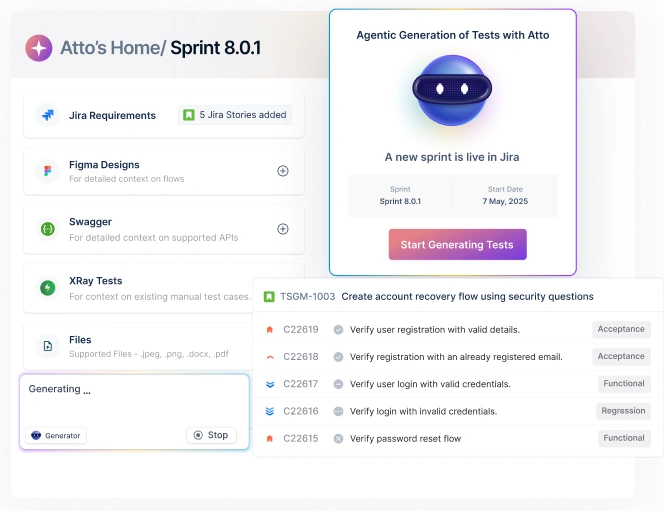
You write tests in plain English, and the Atto agent turns them into runnable browser automation AI. That lets teams cover new flows fast, without deep scripting or a dedicated automation engineer for every change.
Self-Healing Tests That Adapt When Browsers Change
When an AI in the browser shifts how a page behaves, brittle tests break. Testsigma’s self-healing test automation automatically updates locators when the UI changes, so coverage holds steady instead of failing on every update.
Parallel Testing to Catch AI Browser-Specific Breakage
Testsigma runs tests in parallel across all major browsers at once. That means you spot AI browser-specific failures instantly, rather than discovering them one slow run at a time. Compare options in our roundup of cross-browser testing tools.
Quick Comparison Table: Best AI Browsers at a Glance
Here is how the 8 picks compare across the factors that usually decide the choice. Use it as a shortlist, then test against your own workflow.
| Browser | Built By | AI Model | Best For | Free Tier | Platform |
| ChatGPT Atlas | OpenAI | ChatGPT (GPT series) | ChatGPT power users | Yes (Agent Mode paid) | macOS (more soon) |
| Perplexity Comet | Perplexity AI | Multiple (GPT, Claude, Gemini) | Research & cited answers | Yes (free worldwide) | Win, macOS, Android, iOS |
| Edge + Copilot | Microsoft | Microsoft Copilot | Enterprise / Microsoft 365 | Yes | Win, macOS, mobile |
| Opera Neon | Opera | LLaMA, Qwen & more | Agentic power users / devs | No (subscription) | Win, macOS |
| Fellou | Fellou | 100+ LLMs | Deep research & task chains | Credit-based | Win, macOS |
| Brave Leo | Brave | Llama, Mixtral, Claude | Privacy-first users | Yes (Premium paid) | Win, macOS, Linux, mobile |
| Dia | The Browser Company | Multiple LLMs | Design & enterprise teams | Yes (beta) | macOS (Win in progress) |
| Sigma | Sigma | SigmaGPT | In-browser content creation | Yes | Win, macOS, Linux, mobile |
Where AI Browsers Go Next, and How to Stay Ready (Conclusion)
The AI in the browser race is not slowing down. Expect more autonomous web agents, tighter security with each new exploit, and the line blurring between browser and operating system. The browser you pick today may look very different in six months.
So treat your choice as a starting point, not a final answer. The browsers your users adopt are multiplying faster than most test suites can follow.
If keeping coverage current across all of them feels overwhelming, a free trial of Testsigma can help by running and self-healing your tests across every browser that matters, so your app stays reliable no matter which AI browser wins.
FAQs for Best AI Browsers
An AI browser embeds a large language model into browsing, so it can read pages, answer questions, and act on your behalf. Unlike a normal browser, it does more than display the web. It assists, summarizes, and automates tasks.
There is no single winner; it depends on your use case. ChatGPT Atlas suits ChatGPT users, Perplexity Comet leads for research, and Edge with Copilot fits enterprise teams. Match the browser to your workflow.
They are useful but carry new risks like prompt injection, where hidden page content hijacks the AI. Real cases like CometJacking and EchoLeak prove the danger. Review agent permissions and choose vendors that take security seriously.
A normal browser shows pages and waits for you to act. An AI browser adds a reasoning layer that can summarize, compare, and complete tasks across tabs. The browser rendering engine is often the same; the AI layer is what changes.
Yes. Comet launched in July 2025 for $200-per-month Max subscribers, then went free worldwide on October 2, 2025. Paid Pro and Max tiers add heavier task automation, but core browsing is free.
They expand your compatibility matrix with new rendering quirks and AI layers that can break working flows. Agentic traffic also interacts with sites differently than humans. Teams must test for both to keep coverage complete.
Yes. Platforms like Testsigma run automated tests across thousands of real browsers, including AI-enhanced ones, in parallel. Self-healing tests adapt when AI browsers change page interactions, so your coverage stays current.