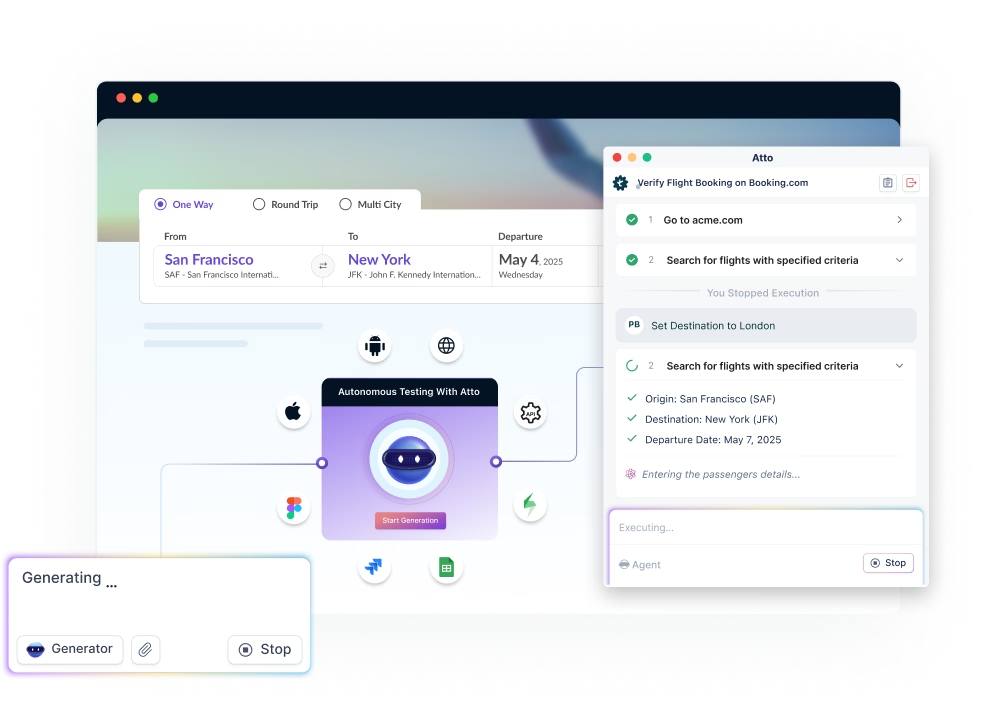


AI testing tools use machine learning to generate, execute, self-heal, and analyze software tests with minimal manual scripting. Teams using them report roughly a 30% reduction in testing costs and a 25% improvement in testing efficiency. Leading options include Testsigma, which works as a verification layer across any coding agent or QA stack, plus Katalon, Tricentis TOSCA, Sealights, and Worksoft Certify, each suited to different tech stacks and team skill levels.
Table Of Contents
- 1 TL;DR
- 2 What are AI Testing Tools?
- 3 Why Do We Need AI Testing Tools?
- 4 Benefits of AI Testing Tools
- 5 Top 16 AI-Powered Testing Tools Compared
- 5.1 1. Testsigma
- 5.2 2. TestCraft
- 5.3 3. Appvance
- 5.4 4. Virtuoso QA
- 5.5 5. CoTester by TestGrid
- 5.6 6. OpenText UFT One
- 5.7 7. Telerik Test Studio
- 5.8 8. Sauce Labs
- 5.9 9. TestComplete
- 5.10 10. Katalon Studio
- 5.11 11. Tricentis TOSCA
- 5.12 12. Keysight Eggplant Test
- 5.13 13. Digital.ai
- 5.14 14. Aqua ALM
- 5.15 15. Symflower
- 5.16 16. Sealights
- 6 Most Tools Test, Few Tell You What’s Still Untested
- 7 How Do AI Testing Tools Work?
- 8 Why Is Testsigma a Strong Choice?
- 9 How to Implement AI Testing Tool Evaluation Using Testsigma
- 10 AI Testing Tools – Conclusion
- 11 FAQs
Tl;dr
- AI testing tools apply ML to test creation, execution, self-healing, and reporting, reducing manual scripting.
- Adopters report ~30% lower testing costs and ~25% higher testing efficiency.
- Testsigma leads for low-code, natural-language test creation across web, mobile, desktop, and API, and, unlike single-purpose tools, is built to sit alongside whatever coding agent or QA stack a team already runs, not replace it.
- Other strong options across this 16-tool comparison: Katalon Studio (open-source-based, all-in-one), Tricentis TOSCA (enterprise/SAP), Sealights (quality risk visibility), and Worksoft Certify (enterprise business-process validation).
- Choose based on coding skill level needed, application types supported, CI/CD integration depth, and self-healing maturity.
What Are AI Testing Tools?
AI testing tools are platforms that use AI/ML to power test creation, execution, maintenance, and analysis with little to no manual scripting. Most generate self-healing tests that adapt automatically when the underlying code changes, rather than breaking and requiring manual fixes.
Why Do We Need AI Testing Tools?
Release cycles have compressed while application complexity has grown: more third-party dependencies, more CI/CD stages, and more surface area to test. 97% of application testers now use some form of automated testing, and manual-only approaches can’t keep pace without expanding headcount. AI testing tools address this by cutting operational cost while maintaining coverage: teams report ~30% lower testing costs and ~25% higher testing efficiency.
Benefits of AI Testing Tools
| Benefit | What it means in practice |
|---|---|
| Improved accuracy | Fewer human errors in repetitive test execution |
| Time & cost savings | Less scripting effort, faster test creation |
| Self-healing | Tests auto-adjust when the UI or code changes |
| Codeless testing | Non-engineers can build and maintain tests |
| Continuous testing | Native CI/CD integration |
| Low maintenance | Near-zero manual upkeep vs. traditional scripts |
| Stronger API testing | Built-in coverage for API-level scenarios |
Top 16 AI-Powered Testing Tools Compared
| Tool | Best For | Standout AI Capability |
|---|---|---|
| Testsigma | Web, mobile, desktop, API, SAP, Salesforce; teams wanting low-code, agentic AI testing | Atto’s AI agents (Generator, Runner, Analyzer, Optimizer, Bug Reporter) handle creation through maintenance; NLP-based test authoring |
| Katalon Studio | Teams wanting an all-in-one, Selenium/Appium-based IDE | AI-driven Smart Wait, ML-based test object recommendations, auto-heals broken scripts |
| Tricentis TOSCA | Enterprise, SAP-heavy environments | Risk-based test prioritization from historical failure data, model-based reusable test assets |
| Sealights | Quality-risk visibility across the delivery pipeline | ML-based prediction of which recent code changes actually need testing |
| Worksoft Certify | Enterprise business-process validation (SAP, Oracle, Salesforce) | Self-healing scripts for complex, multi-system enterprise workflows |
| Keysight Eggplant Test | User-centric, cross-platform testing | Image recognition to interact with the UI the way a real user would |
| OpenText UFT One | Front-end and back-end functional testing | Object recognition and visual-pattern identification instead of fixed locators |
| Appvance | Teams wanting autonomous exploratory coverage | Generative AI explores the app to find untested paths and generate new test cases, aiming for near-100% coverage |
| Virtuoso QA | Enterprise web apps and business systems, where teams need proof of what was tested | AI agents draft tests from requirements, with human approval |
| TestCraft (now Perfecto Scriptless) | Web-application testing at speed and scale | GPT-based test idea generation, copy-paste test portability |
| Telerik Test Studio | Web, desktop, and API testing with minimal maintenance | Patented element-detection algorithm plus a centralized object repository |
| Sauce Labs | Cross-browser, cross-device cloud testing | Combined visual, mobile, and API testing tools with built-in error reporting |
| TestComplete | Data-driven UI testing across web, PC, and mobile | Checkpoints that validate images, tables, and app properties; BitBar scaling for mobile/web |
| Aqua ALM | Centralized test management for large, multi-team orgs | NLP-based, multi-lingual test execution plus budgeting/forecasting tools |
| Digital.ai | Post-execution analytics and DevSecOps visibility | Brings AI into reporting and security monitoring rather than test creation itself |
| Symflower | Java/Spring test generation from inside the IDE | LLM-based test generation and code repair, claims a 29% reduction in test execution time |
1. Testsigma

Testsigma is an Agentic AI-driven, no-code test automation platform designed for comprehensive end-to-end testing across web, mobile, API, desktop, and ERP systems. It leverages advanced AI agents for software testing to automate the entire testing lifecycle, from test creation to maintenance. The AI coworker, Atto, assists testers at every stage of the testing process.
Features
- AI Agents: Includes Generator, Runner, Analyzer, Optimizer, and Bug Reporter agents for test creation, execution, analysis, maintenance, and optimization. The Generator agents automatically create test cases from images, videos, Figma, Jira, and so on.
- Natural Language Processing (NLP): Allows test creation using plain English, making it accessible to non-technical users.
- Cross-Platform Testing: Supports testing across 3,000+ browsers, devices, and operating systems.
- CI/CD Integrations: Seamlessly integrates with tools like Jira, Jenkins, and GitHub.
- Real-Time Collaboration: Facilitates collaboration among distributed teams with real-time dashboards and reporting.
Testsigma Copilot: Your GenAI assistant for high-quality testing
Testsigma Copilot is a GenAI assistant for QA teams that help improve testing quality and productivity. Apart from the AI-driven test automation capabilities supported by Testsigma, Copilot is specifically designed for QA teams to assist them with the entire software testing process by providing smart test suggestions. How QAs can benefit from Testsigma Copilot:
- Generate test cases automatically from multiple inputs: user stories, prompts, or Figma designs.
- Suggests additional user scenarios to cover for testing
- Get 70% automation coverage by covering even edge case scenarios.
- Automated API test case generation
Instantly generate test cases from prompts, user stories, Figma, and screenshots with Testsigma Copilot.
2. Testcraft

TestCraft acquired by Perfecto, is currently named Perfecto Scriptless supports web and mobile testing. Moreover, it is developed to allow both manual and automated testing. The tool is best for delivering tests for web-based software at super speed. Besides, it can be scaled to offer the highest quality industry-based standards. Furthermore, it has the best features for running repetitive tests.
Features
- Multi-language support. Developers can create scripts in multiple languages and run them on the tool.
- Has a copy-to-clipboard feature where users can copy tests and paste them into the clipboard
- Test idea generation tool which uses advanced GPT technology to test websites
- Integration feature for integrating with other tools
3. Appvance

Appvance is a software testing tool that uses generative AI to accomplish testing tasks using artificial intelligence. The goal behind using Appvance for every tester should be to cover as much area as possible under AI. Claiming to increase the coverage up to 100% with AI, Appvance doesn’t demand any maintenance work from the testers which is always a major concern for testers.
Features
- Appvance can analyze the test runs, keeping the application’s exploration in mind. This allows the tool to provide new test cases for the missing areas and conduct exploratory testing in the process.
- Enhancing the application visibility by 10x, Appvance’s artificial intelligence can explore all the paths from every point to create newer test cases and expose hidden points for testing.
- Since Appvance explores various deep points in the application, it can define a complete health chart which is essential in understanding any future flaws very early in the system.
- Appvance supports test creation in low-code format or just operates the application like manual testing and converts actions into test cases easily.
- The tool is capable of performing different testing on different domains such as web, and mobile, and services such as APIs.
4. Virtuoso QA

Virtuoso QA is an AI-native test automation platform for browser-based applications, including enterprise systems such as SAP, Oracle, Dynamics 365 and Salesforce. Its Touchstone AI agents read specs and Jira stories and draft requirements and tests from them, while a named person approves each one before it runs. This makes the tool a strong choice for teams that need to prove exactly what every release was tested against.
Features
- Testers and business analysts can write tests in plain
English, and each step runs against the live application as
it’s written, so mistakes show up straight away. - When the UI changes, Virtuoso QA identifies elements through several signals and proposes repairs that the team can accept or reject, keeping tests running between releases.
- A single test can check the UI, the API and the database together, which helps validate complete business processes across connected systems.
- AI Root Cause Analysis shows each failure next to the last passing run, with screenshots, network data and a likely cause, making it easier to separate real defects from test issues.
- Every run records the requirement, result, approver and build, giving teams ready-made release evidence, and GENerator converts existing Selenium suites into plain English tests.
5.Cotester by TestGrid

CoTester is an enterprise-grade AI testing agent focused on turning real requirements into executable tests while keeping human review and control central to the workflow.
CoTester generates both manual and automated tests directly from Jira stories, change tickets, documents, or URLs. Teams review, refine, and approve test steps before execution, ensuringthat AI output aligns with intended product behavior.
Features
- The tool comes with object recognition and identification of visual patterns that help identify elements based on patterns rather than locators.
- AI-driven test generation from Jira user stories, PDFs, documents, URLs, and change requests
- Human-in-the-loop test review and approval before execution
- Vision-language based UI understanding for resilient execution across UI changes
- Self-healing automation that preserves workflow intent, not just locators
- Unified manual and automated testing from the same approved test definition
- Built-in traceability linking requirements, tests, executions, and defects
- Enterprise-ready deployment options including private cloud and on-prem
- Native integrations with Jira, CI/CD pipelines, and collaboration tools
6. Opentext UFT One

OpenText UFT One is a functional testing software equipped for both front-end and back-end functional testing. It helps accelerate testing and provides AI-based technology to understand application elements and learn the intricacies along the way.
Features
- UFT One comes with a wide variety of testing domain support including API testing, end-to-end testing, SAP testing, web testing, and more.
- The tool comes with object recognition and identification of visual patterns that help identify elements based on patterns rather than locators.
- OpenText UFT One provides functional labs for testing mobile applications using cloud infrastructure.
- The platform supports parallel test execution which helps cut down time and shorten the feedback loop for release.
7. Telerik Test Studio

Working according to the modern test cycle, Telerik Test Studio provides a platform for developers, testers, and managers to easily manage test automation. The Test Studio incorporates patented algorithms that help stabilize tests and increase test coverage across the suites without any additional work.
Features
- Telerik Test Studio provides a record-and-playback facility to record the automated test and run it on multiple sessions later.
- The platform provides an intensive monitoring feature to easily observe all the anomalies at the micro level.
- Telerik Test Studio provides multiple features to minimize the tester’s maintenance work. This includes unique element detection (patented), a centralized object repository, and intelligent suggestions.
- The platform covers multiple test domains such as web test automation, desktop automation, API automation, and responsive testing.
8. Sauce Labs

Features
- An error reporting tool that monitors and generates reports for errors
- Cross-browser tool for combined testing of browsers and OS
- Visual tool for conducting automated visual and UI tests
- Mobile tool for testing real and remote mobile devices
- API tool for testing and monitoring APIs
9. TestComplete

TestComplete is an intuitive tool with dynamic UI testing elements. Additionally, it contains a feature known as checkpoints which test images, tables, and app properties. It is a scriptless tool that allows users to trigger tests using keywords or the record-and-play feature. Furthermore, the tool features data-driven testing for web, PC, and mobile UI tests. Above that, it performs test report analysis and generates a report.
Features
- Non-stop testing for DevOps
- Parallel testing features for mobile, PC, and web-based app tests
- BitBar feature for scaling mobile and web tests
- Ability to reuse automated UI tests for a wide range of projects
- Data-based and automated reporting and analysis tools
10. Katalon Studio

A popular tool in the test automation space is Katalon. It comes with an ability to provide an all-in-one solution with an intuitive interface, which allows users to create, execute, and manage automated tests efficiently. Not to mention that it is built on top of open-source automation frameworks, such as Selenium and Appium with a specialized IDE interface for web, API, mobile, and desktop application testing. Its AI capabilities include self-healing, automated test generation, AI-Powered analytics, and NLP-based test scripting.
Another aspect that makes Katalon quite popular is the ease of use that even non-technical individuals or beginner testers can employ for building and running tests. It allows scriptless test creation and advanced scripting option for complex testing process.
Features
- Its AI-driven Smart Wait feature improves test stability by dynamically adjusting wait times for web elements.
- Integrates seamlessly with CI/CD pipelines for robust reporting and analytics.
- Employs machine learning algorithms to recommend test objects and automatically heal broken test scripts.
- Heavily popular for developing and executing complex API tests, including SOAP, REST, and GraphSQL.
- Has a bit of learning curve, but smoother than script-based automation tools.
11. Tricentis TOSCA

Another famous tool in our list is Tricentis TOSCA. It offers a comprehensive, end-to-end testing through automation through model-based approach. TOSCA allows users to create reusable test assets with minimal scripting. Its use of AI includes advanced test case design, self-healing automation scripts, and intelligent test data generation.
Its key features include risk-based test optimization and a powerful test data management. TOSCA avails AI to analyze historical data and predict which areas of the application are most likely to fail and to help prioritize test cases based on potential business impact for risk-based testing. For efficient test data management, AI algorithms assist in generating and managing test data that are realistic and near to real life scenario.
Features
- Supports a wide range of technologies, including web, mobile, API, and desktop applications.
- Integrates seamlessly with CI/CD tools, facilitating continuous testing and DevOps practices.
- Comes with extensive support for SAP and other enterprise applications.
- Has strong reporting capabilities for comprehensive test management and analytics.
- Model-based automation provides reusable test assets with minimal scripting.
- Allows testing of applications in isolation by simulating the behavior of dependent systems.
12. Keysight Eggplant Test

Referred to as an advanced, AI-driven test automation tool, Eggplant is built by Keysight for comprehensive and efficient software testing. It focuses on user-centric testing by simulating real user interactions and provides end-to-end testing capabilities across various platforms, including web, mobile, and desktop applications.
By using image recognition and machine learning, this tool can execute tests based on visual elements. Further, it approaches functional, performance, and usability testing from the user’s perspective, which makes the complete quality process highly reliable and closer to real-world scenarios.
Features
- Utilizes AI-driven capabilities and machine learning to mimic user interactions when executing test cases.
- Employs image recognition technology to interact with the application’s user interface.
- Supports cross-browser testing on a combination of OS and devices.
- Offers a scriptless test creation environment, making it an ideal choice for non-technical and time-bound projects.
- Seamlessly integrates with CI/CD pipelines.
Apart from the AI-powered testing tools, there are a few other AI-based test management tools or software quality tools that help streamline the QA process, which we will discuss here,
13. Digital.ai

Features
- Digital.ai brings artificial intelligence into analytics and reporting, giving meaningful insights to testers and business owners helping them make better business decisions.
- The tool provides assessments of agile solutions to bring transparency into the infrastructure from one end to another.
- Digital.ai provides easy deployment services with templates that testers can use and automate the deployment process easily.
- Digital.ai brings DevSecOps into the picture where security is at the core of the process. Through this, the testers can monitor their application’s security without worrying about issues such as reverse engineering and responding to threats.
- While most of the tools have been focusing on developing test scripts and bringing the codeless environment into the picture, Digital.ai targets processes that start after the execution is completed. This makes Digital.ai a unique tool to possess and increase our AI coverage for cutting down even more time and costs.
14. Aqua ALM

Aqua ALM leverages its natural language processing capabilities to perform tests. It is one of the AI driven test automation tools with multi-lingual testing capabilities. Additionally, this web-based platform offers high flexibility, full visibility, and easy-to-use tools. With this platform, developers can speed up their test time and do more tests. Furthermore, it is designed as a test management system for busy companies. Specifically, the tool is a perfect choice for large technology companies.
Features
- It allows centralized test management by multiple departments
- Generates reports for test execution
- Has a feature for detecting and correcting defects
- Automatically generates tests
- Contains budgeting and forecasting tools
- Feature for permissions and access controls
15. Symflower

Gaining control over large language models directly instead of providing cooked generic software brings Symflower as a unique tool into the market. The LLMs are trained using high-quality data and can be tuned according to the requirements of the business. The tool developers claim a test execution time reduction of 29% with the adoption of Symflower.
Features
- Symflower provides a complete setup for writing and maintaining test cases written in Java, Sprint, or Sprint Boot. This includes providing a template and complete test suite generation.
- Once integrated into the IDE, Symflower can diagnose the test cases and detect potentially unwanted pieces of code (or missing exceptions) to prevent test failures in the future.
- Symflower comes as a plugin for popular IDEs such as IntelliJ and VSCode.
- Symflower comes with a code repair and linting facility through which the code can be checked and fixed on the go during the run.
16. Sealights

Sealights is an AI-driven quality management tool that leverages ML and advanced analytics to optimize software testing. It monitors the changes in the code and test execution process to provide end-to-end visibility of Quality Risks across the delivery pipeline. That means, testers can easily manage and supervise the tests while the tool supports continuous testing through its AI capabilities.
Overall, Sealights boasts of providing the visibility, traceability, and metrics that is needed to deliver a quality software at the speed of DevOps.
Features
- Automatically identifies the tests that need to be executed based on recent code changes.
- Prioritizes testing efforts on high-risk areas of the code to ensure critical functionalities undergo thorough testing.
- Provides detailed insights and metrics on test coverage, quality trends, and potential risks.
- Supports integration with CI/CD pipelines.
- Utilizes ML to predict potential defects and vulnerabilities in the code.
Most Tools Test, Few Tell You What’s Still Untested
Most of the tools above optimize one part of the job: generating tests, running them faster, or healing broken locators. What’s often missing is the step after: knowing, with confidence, whether a sprint’s changes are actually covered before release.
That’s the gap an AI-native verification layer closes: reading each sprint’s code against what’s been tested, generating and running whatever’s missing, and rolling it into a single confidence score instead of five tools’ worth of coverage noise. Testsigma is extending in this direction, positioning itself as a layer that works with any coding agent (Claude Code, Copilot) and any QA stack, including Playwright and Appium, rather than a closed alternative to them.
AI can generate hundreds of tests and still miss the one assumption that matters. I would rather have 80% coverage against real production states than 100% coverage against an unrealistic test environment.
How Do AI Testing Tools Work?
AI testing tools typically combine a few core techniques:
- Intelligent test case generation: predicts test scenarios from real usage patterns or from inputs like Jira tickets and screen recordings, instead of a tester writing every case by hand.
- ML-based element identification: locates UI elements by multiple signals (position, text, structure) instead of one fixed ID. When markup changes, the test still finds the button. This is the basis of self-healing.
- Anomaly detection: flags behavior that looks off across test runs, like a slower load time or a shifted layout, even when no assertion technically fails.
- Test prioritization: ranks tests by risk based on recent code changes, so the tests most likely to catch a regression run first instead of last.
Each technique answers a different question: what to test, where the element is, whether something’s wrong, and what to check first. Worth checking which of the four a given tool actually covers before assuming “AI-powered” means all four.
My confidence comes down to whether a check knows what it’s supposed to be looking at, not how many checks came back green. The reason the gap existed was a person deciding to enumerate instead of discover, and generated tests wouldn’t have caught it, because the rule that was supposed to fail never ran.
Why is Testsigma a Strong Choice?
- Low-code, NLP-based test creation: write tests as plain English sentences.
- Cloud-based: no installation or environment setup required.
- Cross-platform: web, mobile, desktop, and API testing in one platform.
- Self-healing: automatically corrects tests when the application changes.
- CI/CD-ready: integrates with popular pipelines for continuous testing.
AI-generated code creates a false sense of coverage. The tests pass, the CI pipeline is green, and you feel safe. But AI tends to test the happy path brilliantly and miss the weird edge cases that only surface under real user behavior at scale. The coverage gap was invisible because the AI had written tests that validated its own assumptions. It was circular logic baked into the test suite.
How to Implement AI Testing Tool Evaluation Using Testsigma
Testsigma’s docs cover generating tests from Jira, Figma, screenshots, or video, which maps directly to the “intelligent test case generation” capability described above, worth trying hands-on rather than only comparing feature lists.
Step-by-step (“try before you compare”):
- Sign up for a free Testsigma trial: no installation needed since it’s cloud-based.
- Import an existing flow: connect Jira, or upload a screenshot of the feature you want tested.
- Generate tests with Copilot: describe the test in plain English and review the generated steps. [SCREENSHOT: Copilot generating a test case from a plain-English prompt]
- Run across environments: execute the same test on web, mobile, or API without rewriting it.
- Compare maintenance load: track how often tests break vs. self-heal over a sprint, and use that as your real benchmark against other tools on this list.
- Check what’s still untested: after a sprint, compare shipped changes against test coverage to see whether Testsigma’s confidence signal catches gaps the other tools you’re evaluating would miss.
AI Testing Tools – Conclusion
Automated software testing allows the testing of software without human intervention. Automation helps minimize errors, improve accuracy, and save time. The tools should be chosen based on project demands, budgets, and features.
FAQs
AI testing tools are platforms that use AI and machine learning to power test creation, execution, maintenance, and analysis with little to no manual scripting. Most generate self-healing tests that adapt automatically when the underlying code changes, rather than breaking and requiring manual fixes.
Most combine a few core techniques: intelligent test case generation from real application usage patterns, ML-based element identification that locates UI elements even after markup changes (the basis of self-healing), anomaly detection to flag unexpected behavior across test runs, and risk-based test prioritization that runs the highest-risk tests first based on recent code changes.
Traditional automation runs a fixed script exactly as written; if the UI changes, the script breaks, and someone has to fix it manually. AI testing tools monitor the application, recognize when something has changed, and adjust the test on their own. Teams using AI-driven tools report roughly 30% lower testing costs and 25% higher testing efficiency compared to script-only automation.
It depends on the platform. Tools like Testsigma use natural-language test authoring, so testers, product managers, and other non-engineers can write and maintain tests without code. Others, like Katalon or Tricentis TOSCA, still expect some scripting or configuration knowledge, particularly for advanced scenarios.
It depends on your stack and team makeup. Testsigma fits teams wanting low-code, natural-language testing across web, mobile, desktop, and API in one platform. Applitools is strongest for visual regression specifically. Tricentis TOSCA suits enterprise, SAP-heavy environments. The right choice usually comes down to how much coding skill your team has and how many application types you need to cover in one tool.
Yes, this is increasingly the point rather than the exception. Rather than requiring a full rip-and-replace, modern AI testing platforms are built to sit alongside whatever coding agent generated the code and whatever QA stack a team already runs, reading test coverage across the pipeline and flagging gaps rather than demanding a single-vendor setup.
Testsigma, Katalon Studio, and Worksoft Certify are strong picks here. Testsigma’s Maintenance Agent auto-heals locators and adapts to UI changes automatically, keeping tests running without manual fixes. Katalon Studio uses AI-driven Smart Wait to auto-heal broken scripts, and Worksoft Certify applies self-healing to complex enterprise workflows.