
Test on Safari Browser:
Real Devices, No Mac Needed
Mac or spinning up a VM. Full cross-browser coverage from one place.
Get started with Testsigma
By signing up, you agree to our Privacy Policy.





















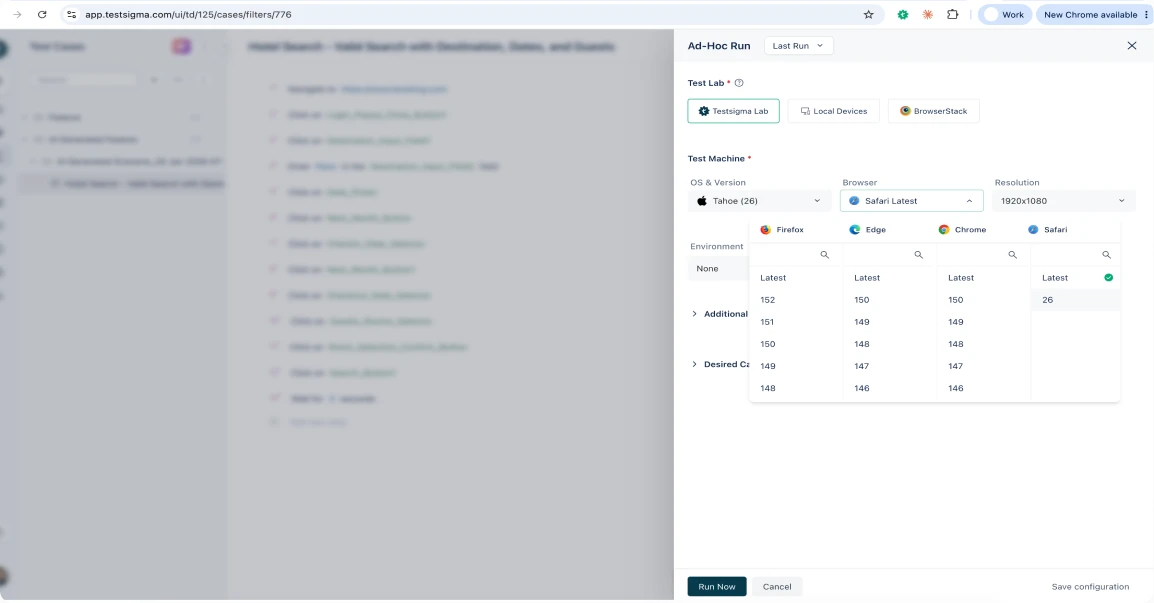
Real Safari on real Apple devices
Your tests run on actual Safari builds on real macOS and iOS hardware in the cloud. Real WebKit rendering, real touch behavior, the same result your users see, without a Mac on your desk.
Why choose Testsigma for
Safari browser testing?
Test Safari from
Windows or Linux.
Safari doesn’t run on your OS. It runs here, on real Apple hardware in the cloud, so you don’t need a Mac to test.
Real Safari, not a
lookalike.
Tests run on actual Safari builds, down to the WebKit rendering quirks an emulator smooths over.
3,000+ real browsers,
devices.
Safari versions your customers still run, next to Chrome, Firefox, and Edge.
Test localhost and
staging.
Catch Safari bugs on internal builds before anything ships.
Why emulators fall short, and why real
devices win
An emulator approximates Safari. It renders close enough for a rough look and misses the things that break in production. A page can pass on a simulated Safari and still fail on a real iPhone.
- ✕Real WebKit rendering: fonts, -webkit CSS, autoplay policies
- ✕Real touch and scroll events on iOS Safari
- ✕GPU compositing, thermal throttling, and true network conditions
- ✕Camera, GPS, and sensor calls
- ✕Exact viewport and safe-area handling per iPhone model
- ✓Native WebKit, exactly as shipped
- ✓True touch, scroll, and gesture behavior
- ✓Live GPU, thermal, and network conditions
- ✓Camera, GPS, and sensors on device
- ✓Per-model viewport and safe areas
The result you see is the result your user gets.
Automate your Safari tests
Reproducing a Safari bug once is manual. Testsigma turns that check into a test that runs on Safari on every build.
Write one test, run it on Safari
and every browser
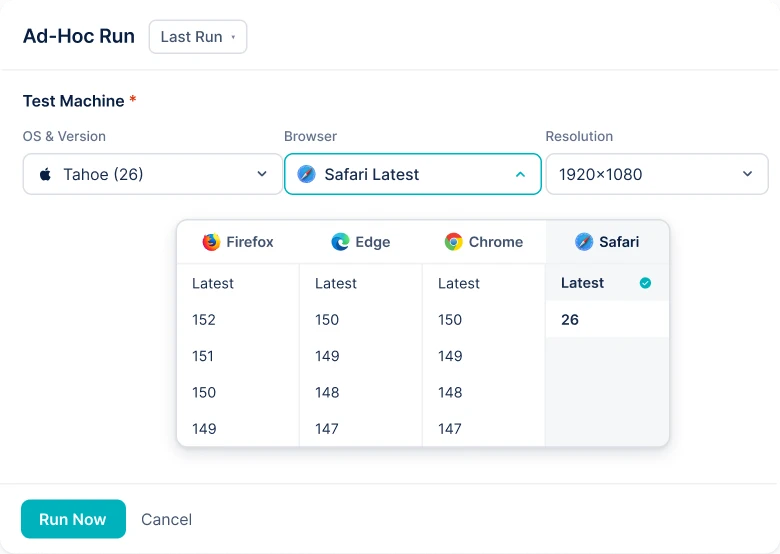
Author once in plain English. Runs on Safari across the versions you pick, plus Chrome, Firefox, and Edge in parallel. Self-healing keeps tests running when the UI shifts.

No-code authoring
Describe the steps in plain English using prompts. No Selenium boilerplate, no waiting on an SDET.

Wired into CI/CD
Trigger tests from Jenkins, GitHub Actions, GitLab, or your pipeline, and gate releases on the results.

One platform for web, mobile, API
Your Safari tests live next to your Android, desktop, and API tests instead of in a separate tool.
See how leading teams test with Testsigma
25M+
TestExecuted
10K+
QATeams
70%
ReducedTesting Effort


We chose Testsigma for its ease of use and flexibility. 80% of our test coverage is automated now, improving our software quality.


Automated Test Coverage

We run 5000+ test cases overnight, wake up to the results, and fix issues swiftly. The productivity boost and resource optimization achieved with Testsigma are truly commendable.

Automated Test Coverage


Testsigma has been a game-changer for our QA process. By automating 60–70% of our regression testing, we’ve significantly improved test coverage and reduced manual effort.

Regression Suite Automated


With Testsigma, we′ve reduced our test execution time from 8 weeks to just 5 weeks per sprint.

Regression Suite Automated


Testsigma changed the game for us - strategically, emotionally, and operationally. We’re not just building test scripts anymore. We’re building credibility.

Lower QA Effort


The clean UI and intuitive workflows make automation effortless. Instead of writing test cases from scratch, I can generate accurate AI-driven cases in minutes for any type of testing.

Reduced Test Creation Time


Testsigma has been a great addition to our QA workflow. We now catch bugs faster and run full regressions with ease.

Faster regression cycles
We run 5000+ test cases overnight, wake up to the results, and fix issues swiftly. The productivity boost and resource optimization achieved with Testsigma are truly commendable.
Automated Test Coverage
Testsigma has been a game-changer for our QA process. By automating 60–70% of our regression testing, we’ve significantly improved test coverage and reduced manual effort.
Regression Suite Automated
With Testsigma, we′ve reduced our test execution time from 8 weeks to just 5 weeks per sprint.
Regression Suite Automated
Testsigma changed the game for us - strategically, emotionally, and operationally. We’re not just building test scripts anymore. We’re building credibility.
Lower QA Effort
The clean UI and intuitive workflows make automation effortless. Instead of writing test cases from scratch, I can generate accurate AI-driven cases in minutes for any type of testing.
Reduced Test Creation Time
Testsigma has been a great addition to our QA workflow. We now catch bugs faster and run full regressions with ease.
Faster regression cycles
Ready to test on real Safari?
Get full Safari coverage on real macOS and iOS devices, without a Mac, a VM, or an emulator.
Frequently Asked Questions

Build your first test in minutes