
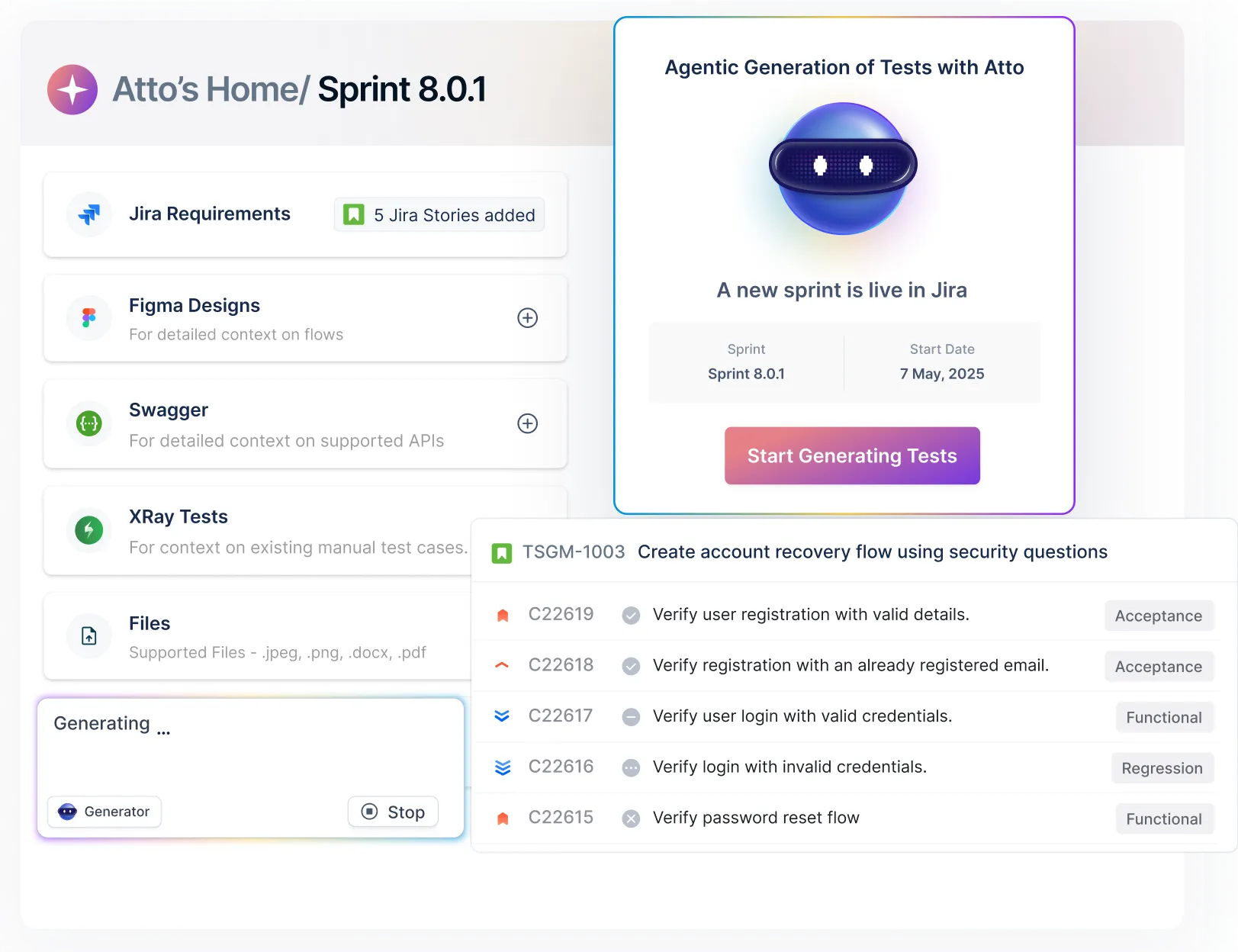





















What is Jira Test Management?
Jira test management is the practice of planning, creating, executing, and tracking test cases within or alongside Jira. Since Jira was built for project management, not QA - teams typically integrate a dedicated test management tool to handle test coverage, sprint-linked execution, and defect traceability without leaving Jira.
Jira Test Management by Testsigma connects directly to your Jira projects via two-way sync, so test cases, results, and bug reports stay aligned with your stories and sprints automatically — no manual updates, no copy-pasting between tools.

Two-Way Jira Integration Powered by AI
Test Management by Testsigma keeps every story, test, run, and defect up to date and in sync in Jira. AI agents do the grunt work for you, while you focus on things that matter more.
Shift-left with ease: Start testing the minute Jira sprint starts
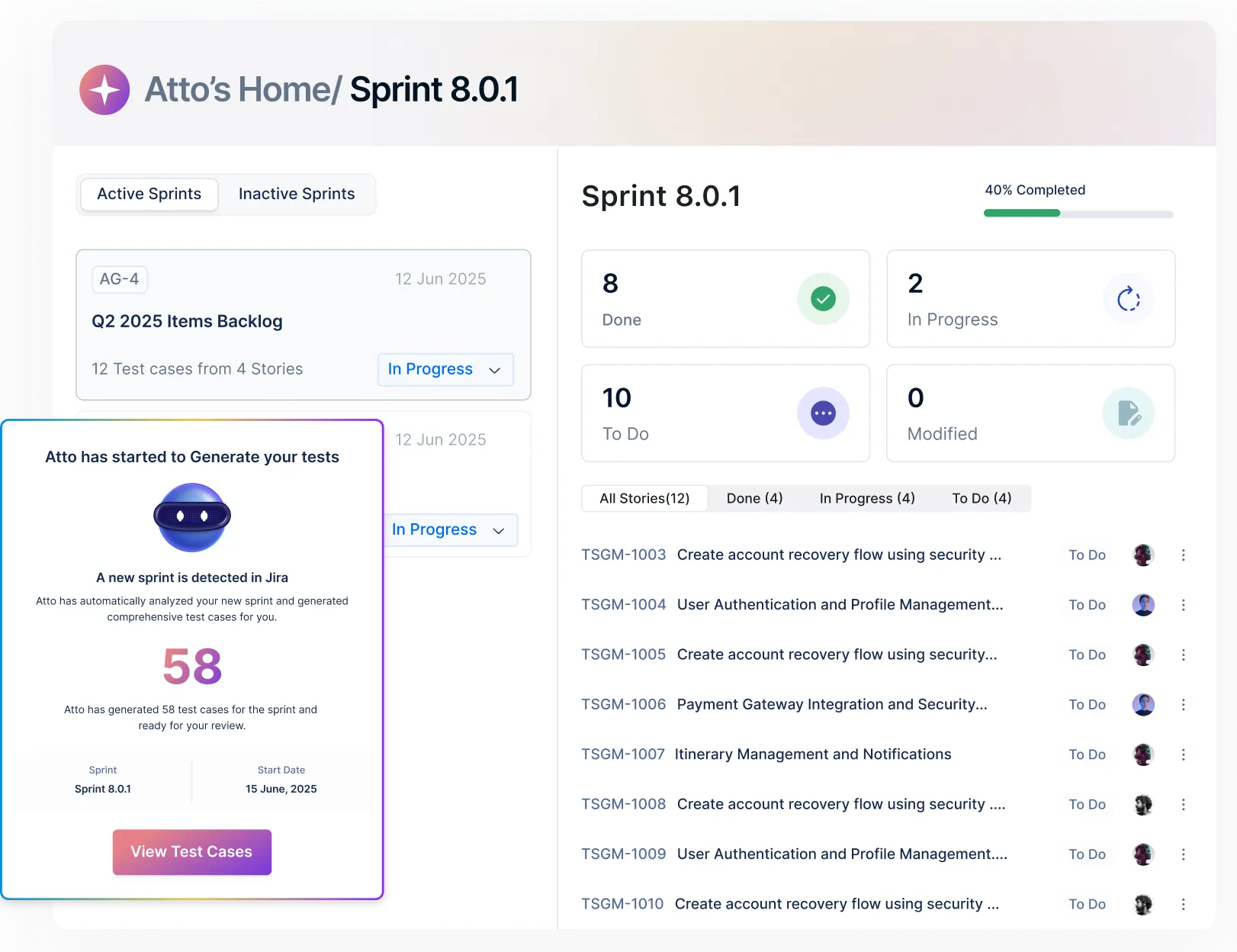
The Sprint Planner automatically detects new Jira sprints and pulls user stories into Test Management by Testsigma, so you can start testing from day zero.
Try Sprint Planner now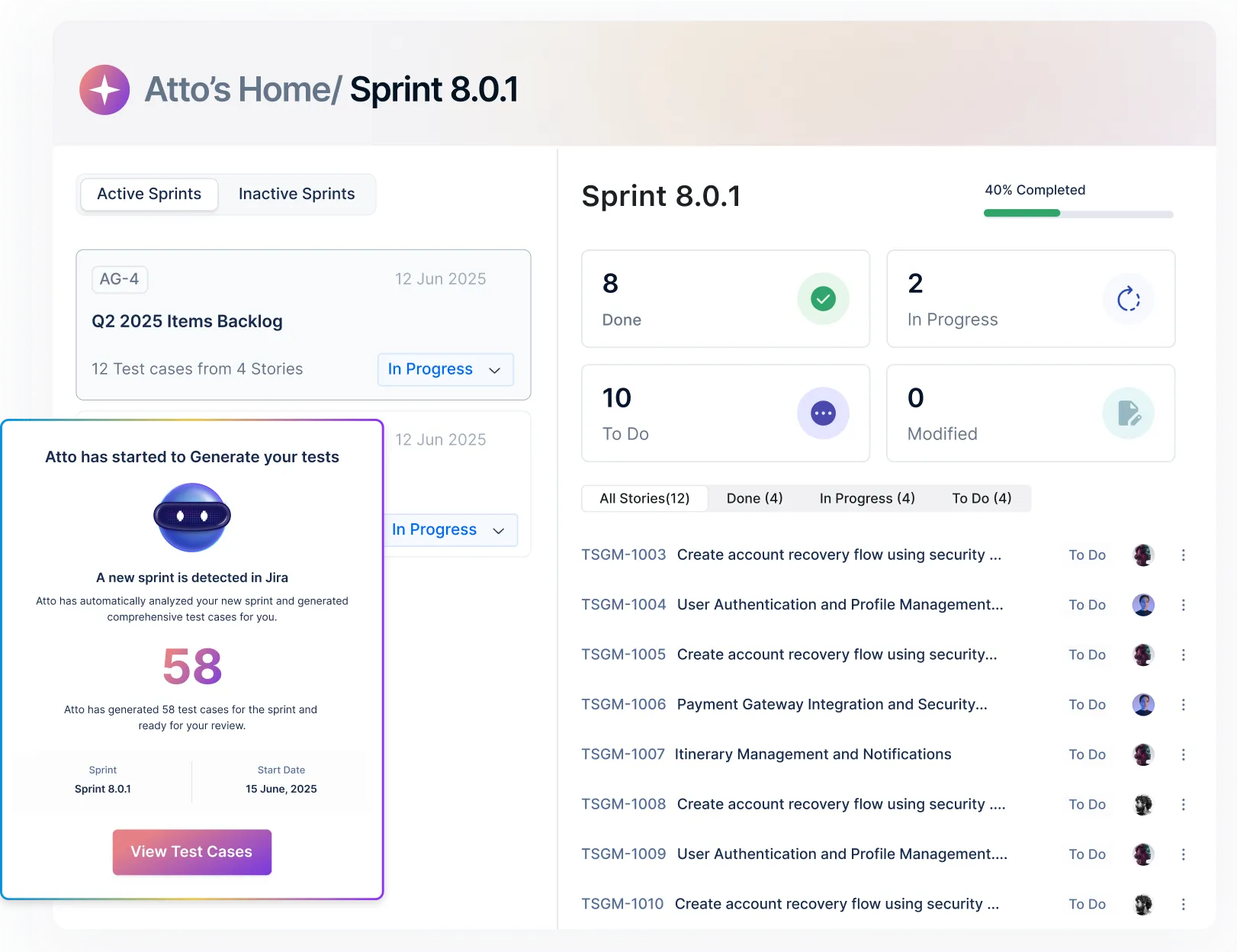
Generate Tests from Jira Stories and Keep Them in Sync
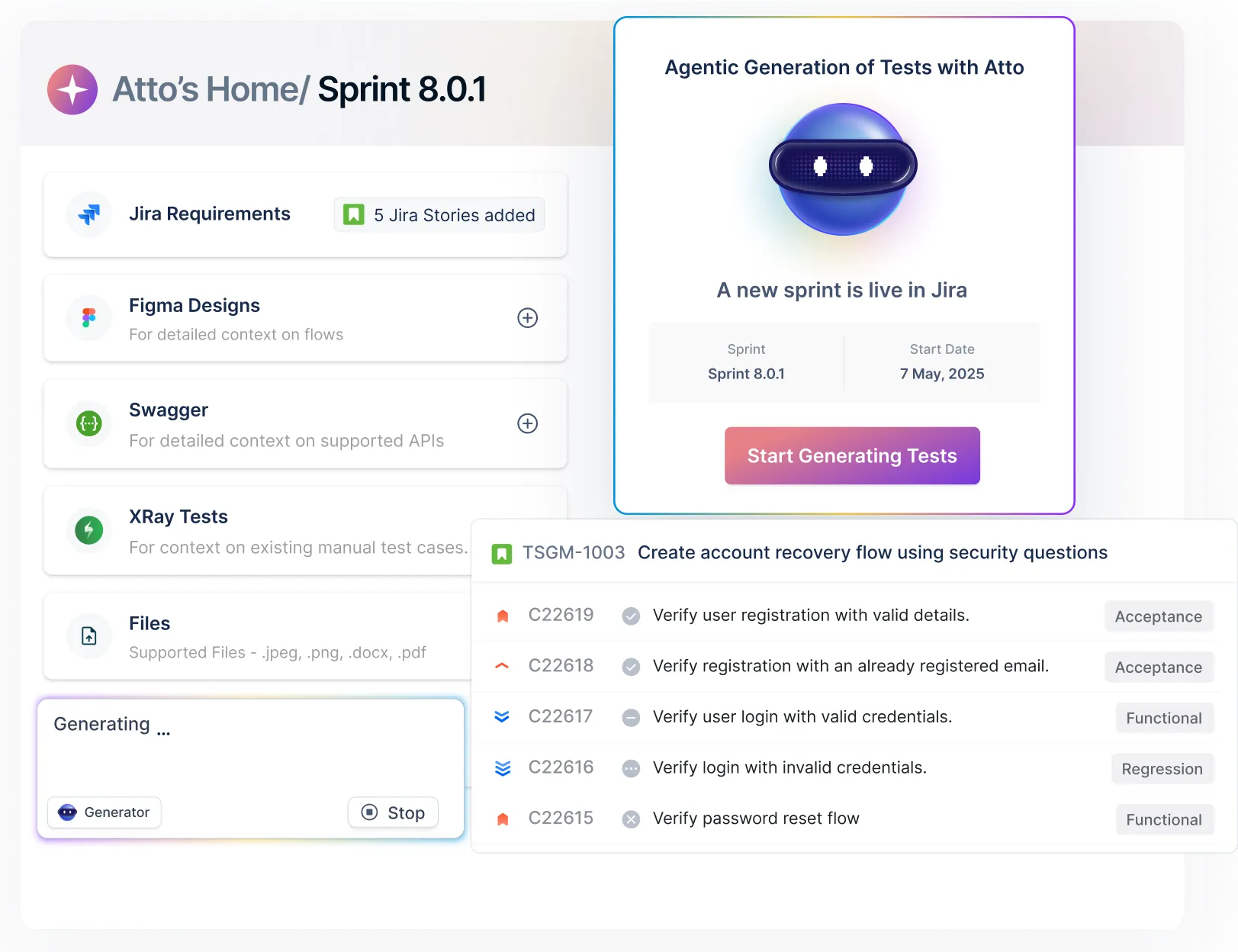
Create detailed test cases instantly from your Jira stories with the Generator. Any changes in Jira? Your tests get updated automatically with two-way sync.
Generate tests in seconds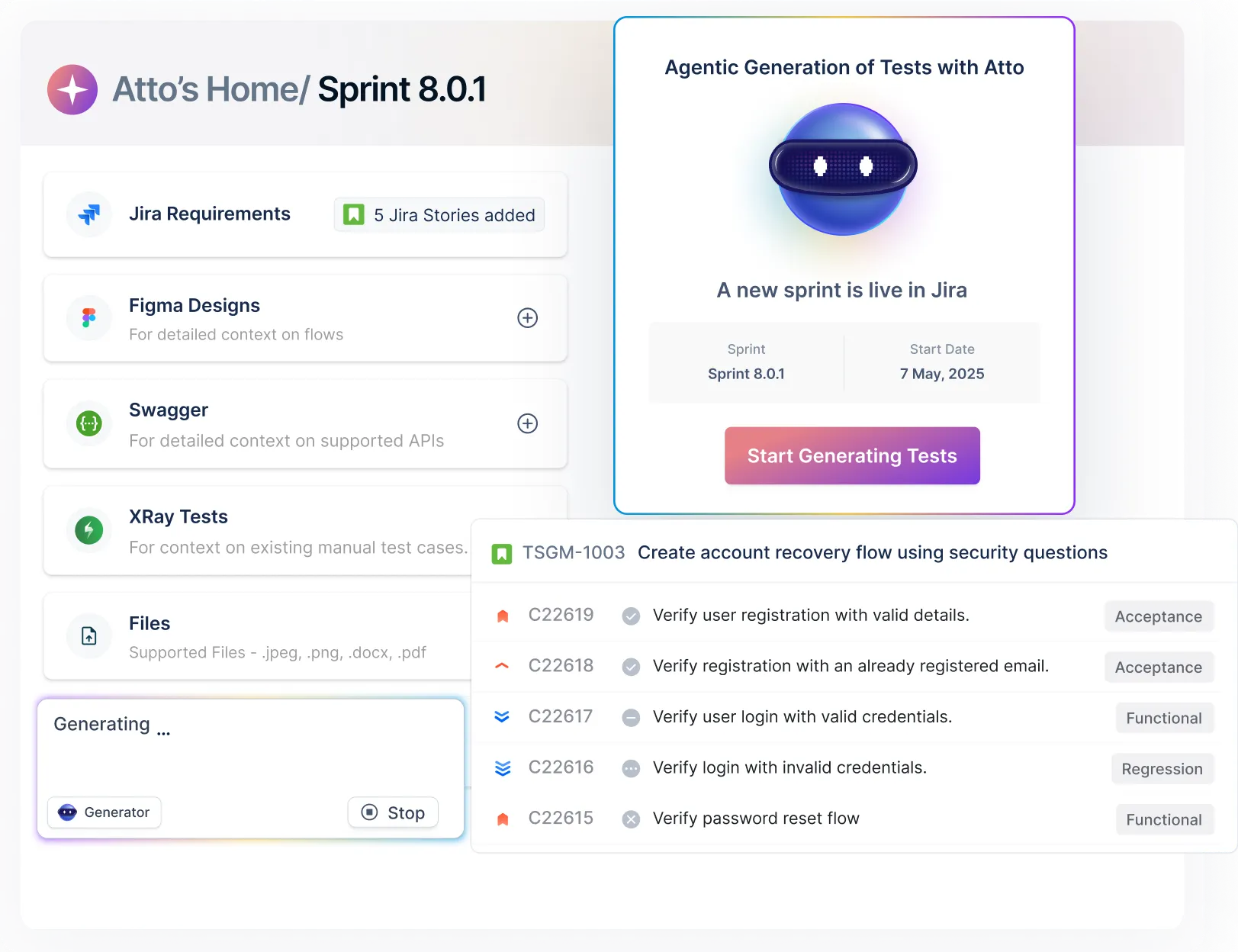
Track Tests with Confidence
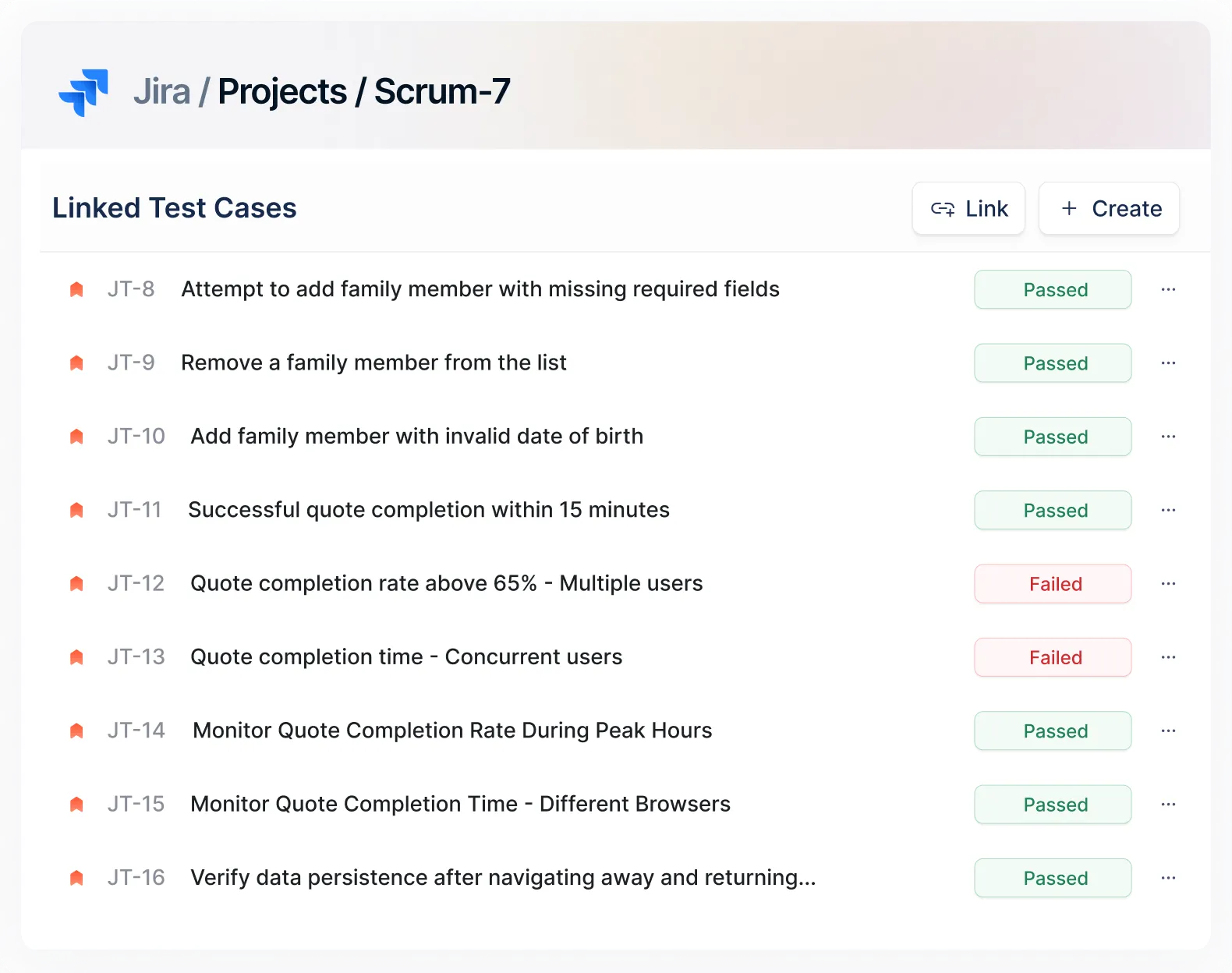
With two-way integrated Jira, easily view linked test cases, their latest run status, and historical results, all from within your Jira stories.
Try this free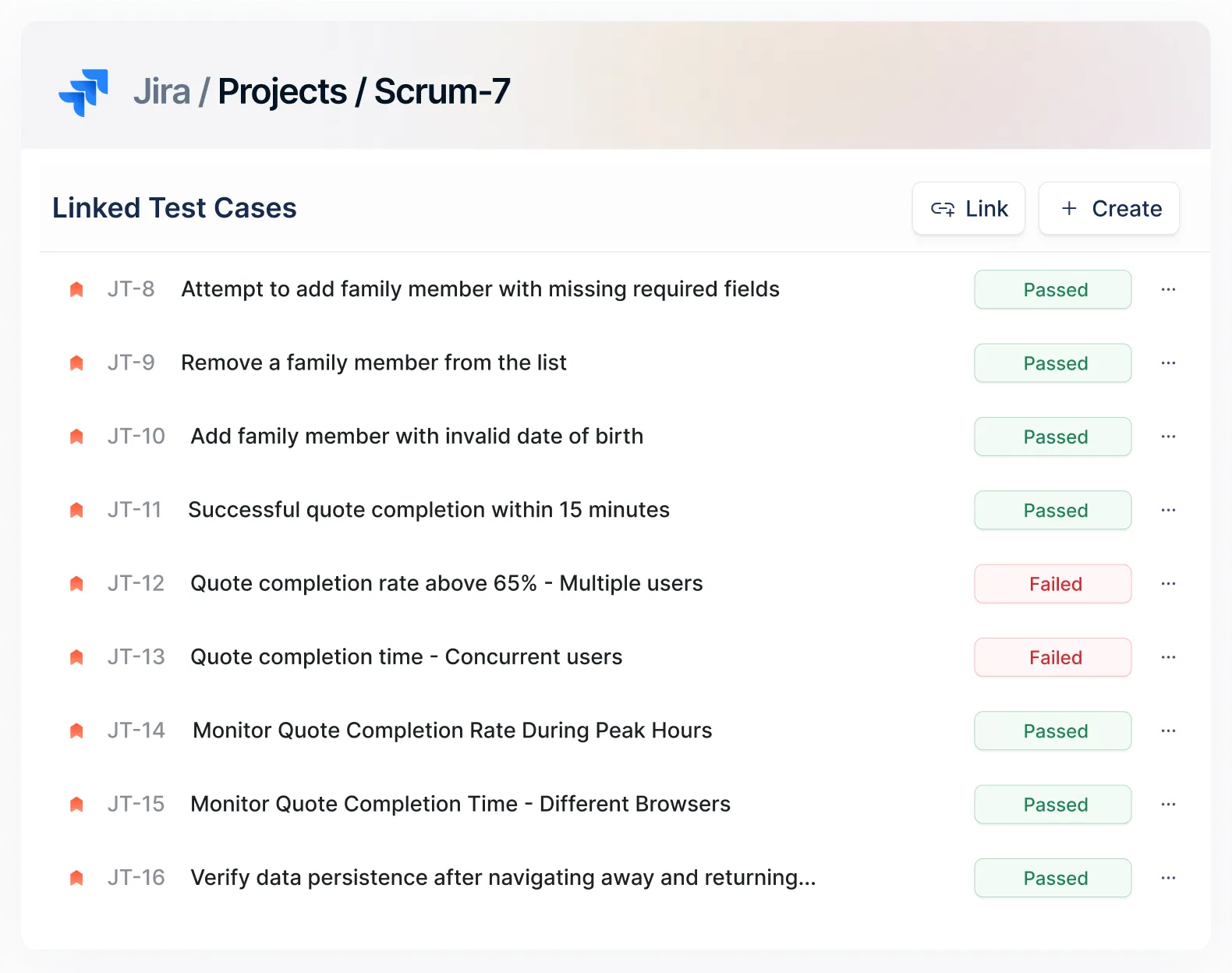
Update Test Results From Jira and Into Jira
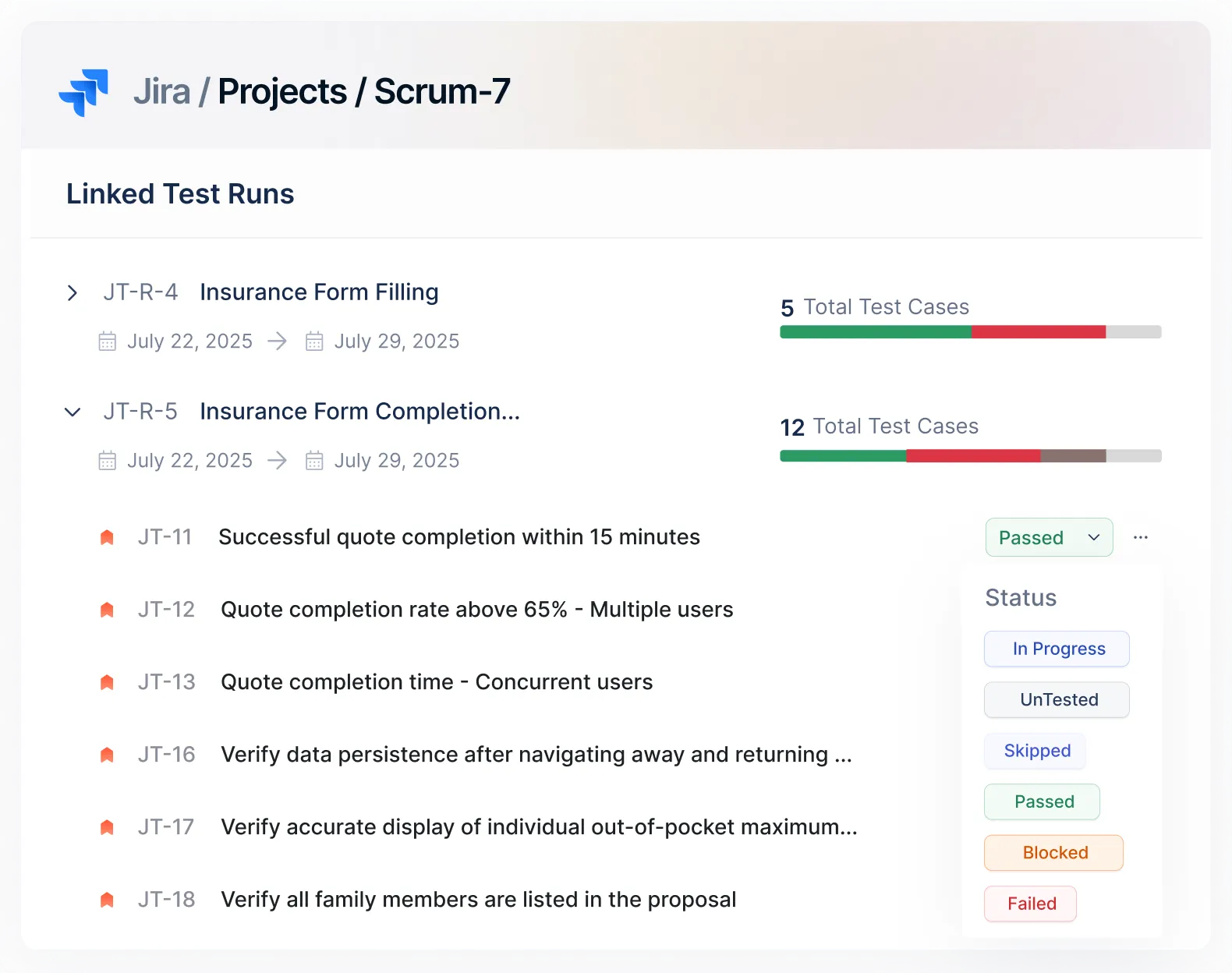
Log test results as pass/fail/retest directly in Jira, instantly synced in Test Management by Testsigma. This works the other way around, too.
Start free trial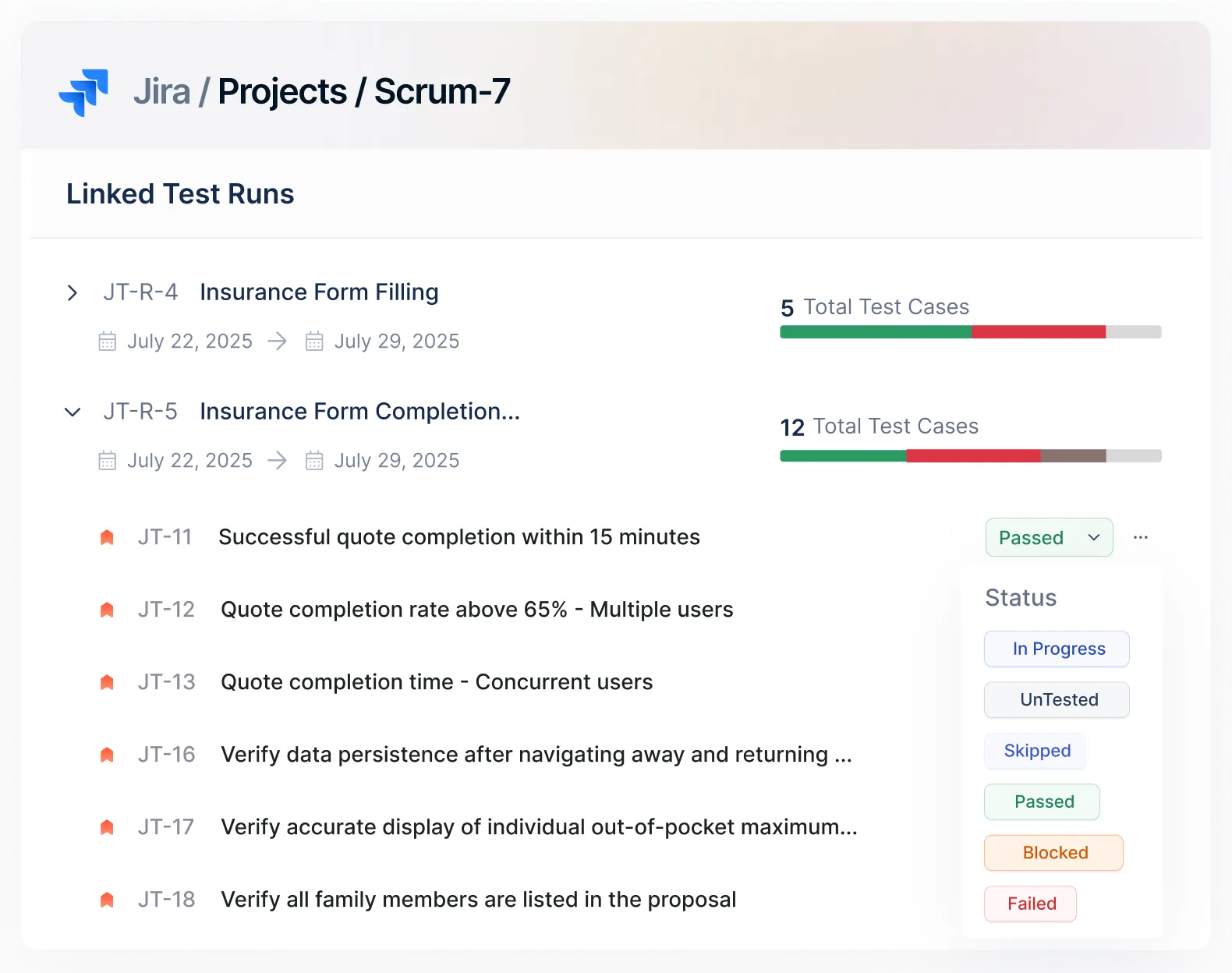
Track Linked Test Runs From One Place
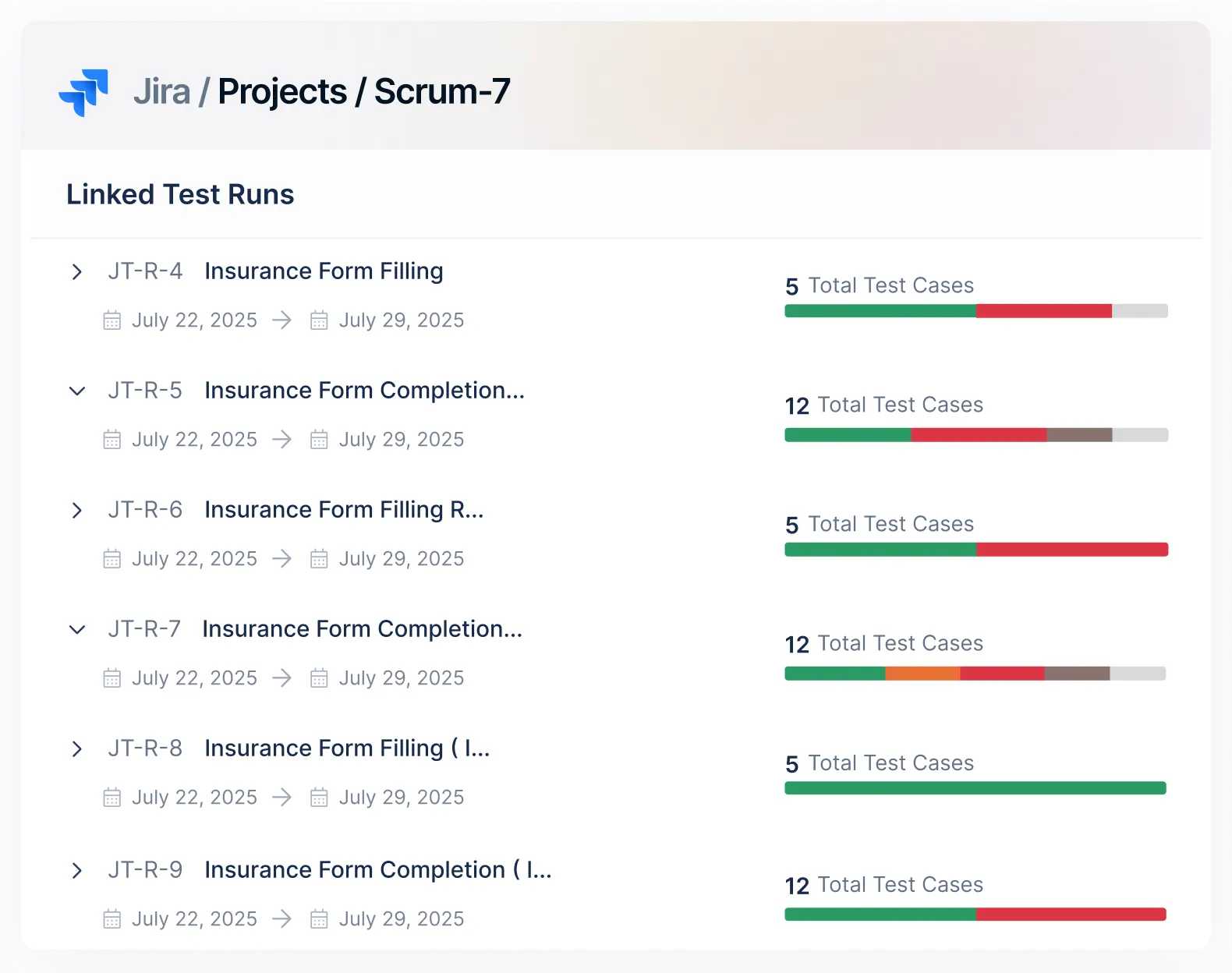
View active or completed test runs linked to any Jira story. See test cases part of each run and monitor test progress without switching tools.
Try this free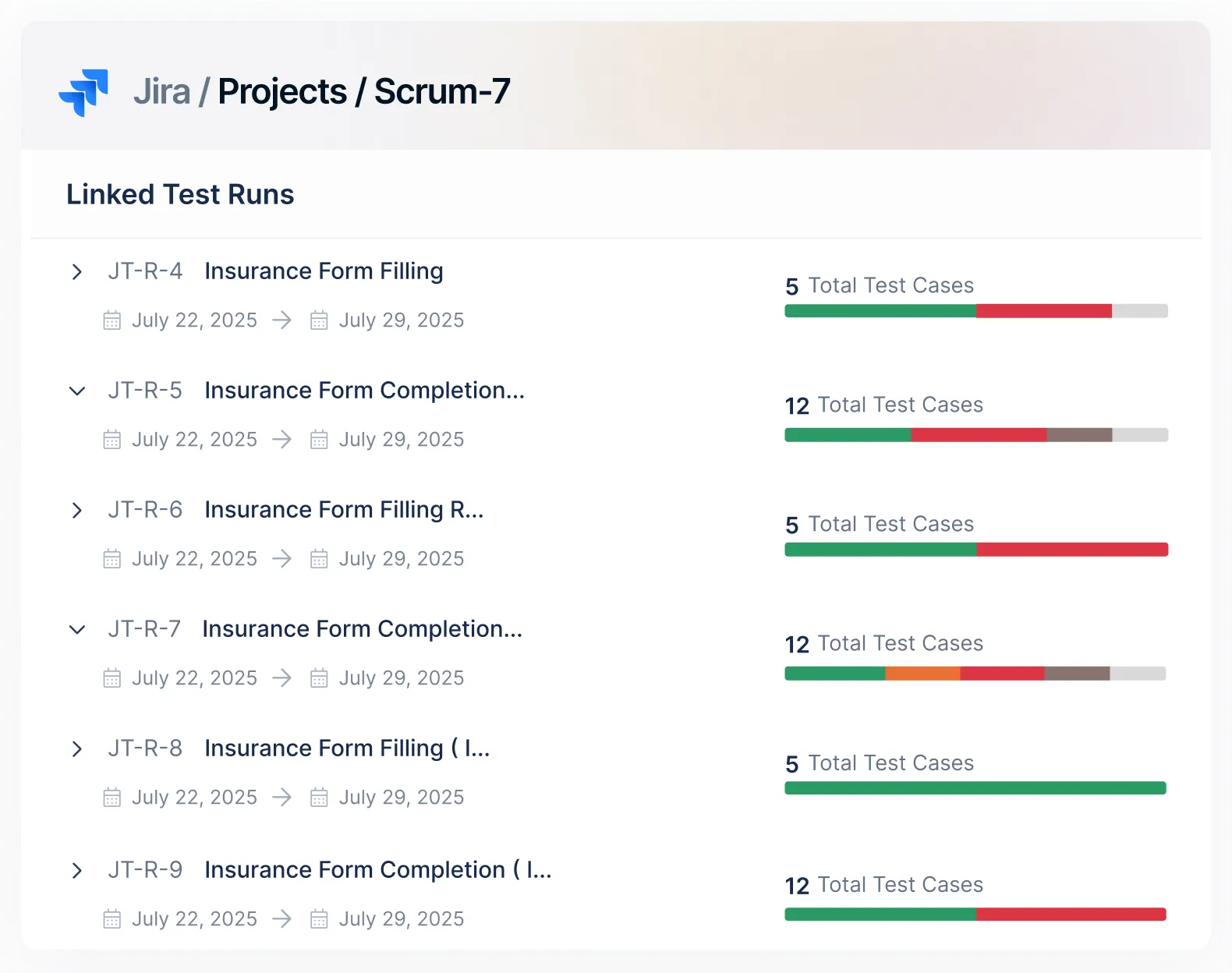
Skip the Typing. Generate Context-Rich Bug Reports Instantly.
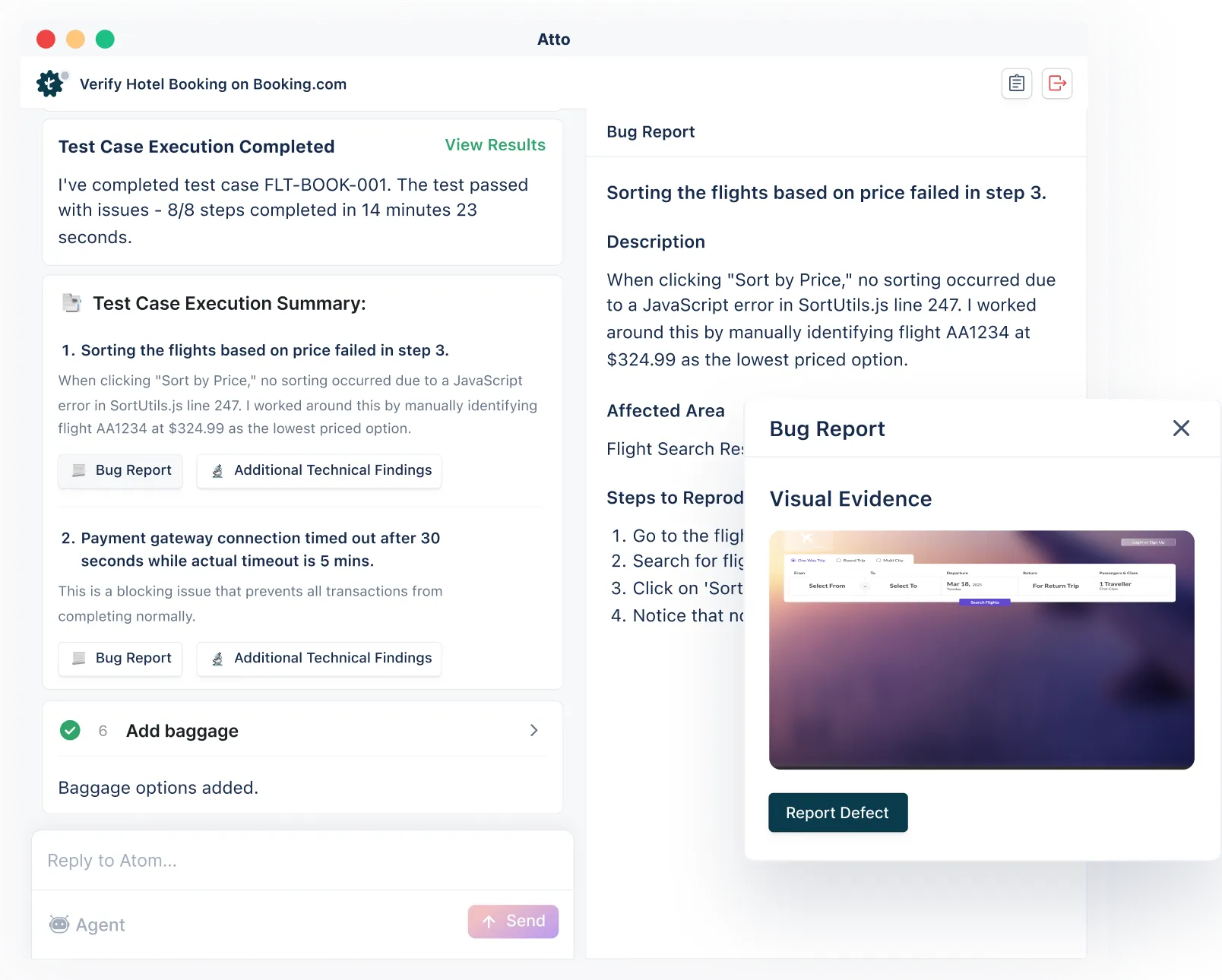
Testsigma’s AI agent, the Bug Reporter, generates comprehensive bug reports that you can file to Jira with just one click. Every bug you create is tightly linked to its test case on Jira.
Get started for free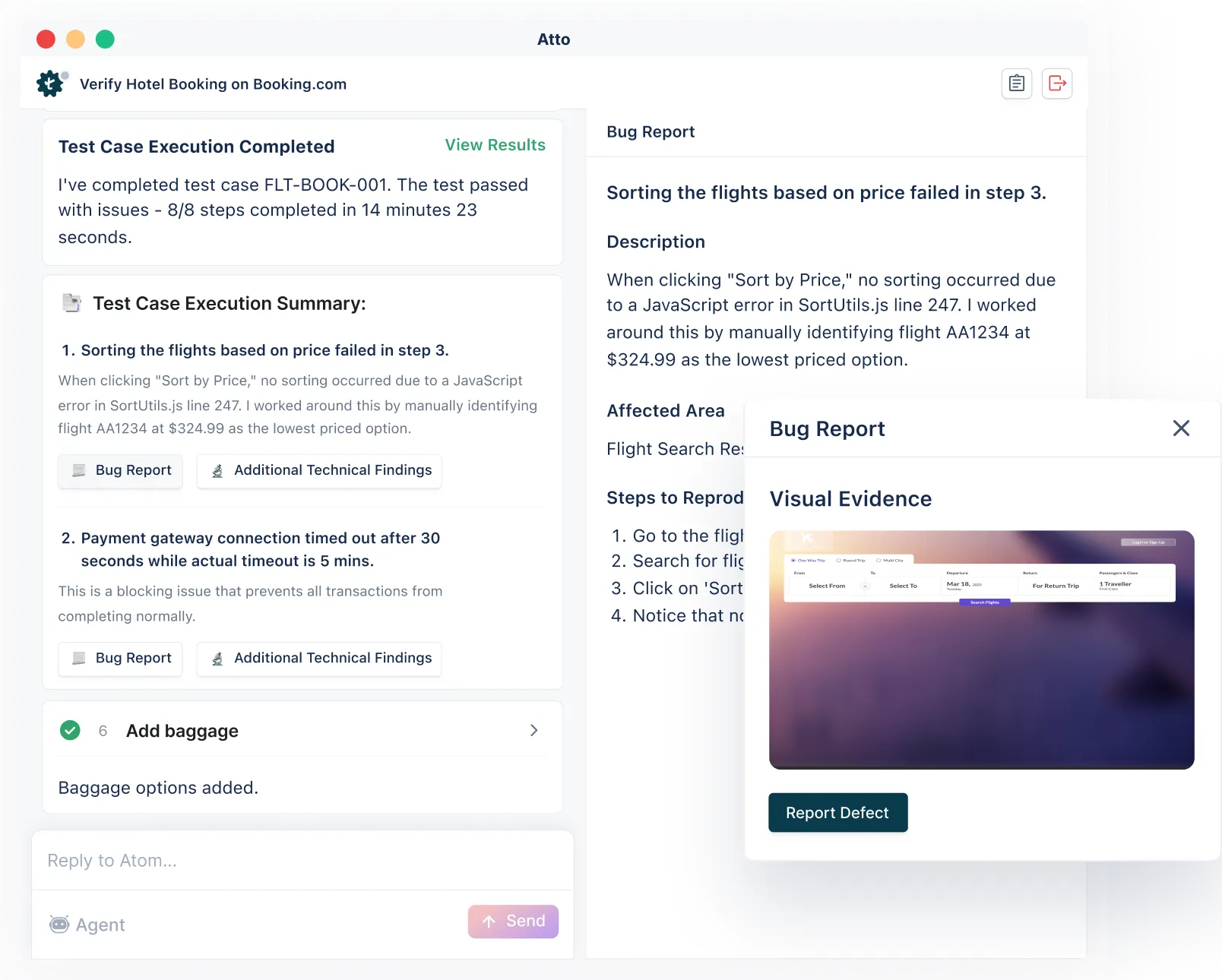
QA Teams Empowered To Do More With Less
Traceability across the lifecycle
Requirement → Test Case → Execution → Defect, always in sync.
Coverage & progress
reportsJira-native charts and widgets your leadership will actually use.
Pricing that doesn’t
scare youIndustry’s most aggressive price point of $8/user/month (annual) or $14/user/month (monthly)
How Testsigma Compares to Other Jira
Test Management Tools
| Tool | Bestfor | Jira integration style | Indicative starting point* |
|---|---|---|---|
| Test Management by Testsigma | AI-first Jira test management & automation | Deep two-way sync + Jira app | $8/user/month (annual) $14/user/month (monthly) |
| Xray Test Management | Deep Jira-native test management | Native Jira app | ~$10/user/month (Marketplace) |
| Zephyr Scale | Large test repositories & compliance | Native Jira app | ~$10/user/month (Marketplace) |
| Zephyr Squad | Smaller teams on Jira | Native Jira app | Starts ~$10/user/month |
| TestRail | Cross-project test management + Jira integration | External app + Jira integration | ~$35–$40/user/month |
| Qase | Modern cloud test management with Jira | Two-way integration | Free plan + paid from ~$25/user/month |
| PractiTest | End-to-end QA hub with dashboards | Jira integration | ~$49/user/month |
| Testmo | Unified manual, automation & performance | Jira & Git integrations | ~$99/month for 10 users |
| Kualitee | AI-powered test + defect management with value pricing | Two-way Jira integration + Jira plugin | Free tier + paid from ~$12/user/month |
| Testiny | Lightweight, simple test management | Jira integration | Free + paid plans from ~$15/user/month |
Why Teams Choose Testsigma for Jira
Test Management
![[object Object]](https://website-static.testsigma.com/website-next/nextjs/6accae/images/jira-test-management/icons/i-sync.avif?format=webp&w=128&q=75 "[object Object]")
Real-time, two-way
Jira sync
Stories, test cases, and defects stay aligned across QA and developers. No manual refreshes, no status drift, no duplicate updates.
![[object Object]](https://website-static.testsigma.com/website-next/nextjs/6accae/images/jira-test-management/icons/i-ai-star.avif?format=webp&w=128&q=75 "[object Object]")
AI that starts planning on
day zero
Pull sprint stories from Jira and generate contextual test cases in minutes - from user stories, Figma files, or uploaded docs. No blank-page problem.
![[object Object]](https://website-static.testsigma.com/website-next/nextjs/6accae/images/jira-test-management/icons/i-account-verified.avif?format=webp&w=128&q=75 "[object Object]")
Automatic defect context
to Jira
Bug reports are drafted with repro steps, screenshots, and execution logs - then synced directly to Jira. Fewer back-and-forths between QA and Dev.
![[object Object]](https://website-static.testsigma.com/website-next/nextjs/6accae/images/jira-test-management/icons/i-manual-automate.avif?format=webp&w=128&q=75 "[object Object]")
One dashboard for manual +
automation
Manual tests, automated runs, and CI/CD results share a single repository. Release readiness at a glance - no spreadsheet stitching required.
![[object Object]](https://website-static.testsigma.com/website-next/nextjs/6accae/images/jira-test-management/icons/i-file-loading.avif?format=webp&w=128&q=75 "[object Object]")
Full traceability,
zero Jira bloat
Link test cases to Jira stories without cluttering your board. Coverage gaps surface automatically - so nothing slips through before release.
![[object Object]](https://website-static.testsigma.com/website-next/nextjs/6accae/images/jira-test-management/icons/i-currency-loop.avif?format=webp&w=128&q=75 "[object Object]")
Pricing that scales with QA -
not Jira headcount
Unlike Xray or Zephyr, you′re not paying for 200 Jira users when 12 people actually run tests. Cost grows with your QA workflow, not your org chart.
Testament of the Value Delivered

The clean UI and intuitive workflows make automation effortless. Instead of writing test cases from scratch, I can generate accurate AI-driven cases in minutes and adapt them for unit, regression, or any other type of testing.

Ekam Kaur Kalra
Senior QA Analyst, 5X
With two-way JIRA integration, I can see test case history and update test cases from JIRA. I like the AI agent′s capabilities to fetch story info from JIRA, and we can upload our own info via videos, docs and generate test cases. The tool has good enough features with reasonable pricing.

Pavan Kumar
Lead SDET, Growfin.ai
Users love us



Enterprise-grade security

How does Jira test management work
with Testsigma?
Connect your Jira project
Go to Testsigma settings, add your Jira instance, and select the projects you want to sync. Takes a few minutes - no dev work needed.
Let sprints pull in automatically
When a sprint starts, Testsigma detects it and pulls the stories into your test workspace. No manual import, no copy-pasting from Jira.
Generate test cases from stories
Select a story and the AI drafts test cases against it - happy paths and edge cases. You review and edit before anything runs. The AI handles the blank page, not the final call.
Execute tests and track coverage live
As tests run, results map back to the originating stories. The coverage matrix updates in real time, so you know exactly what's tested and what isn't.
File bugs back to Jira in one click
When a test fails, the Bug Reporter drafts a defect with repro steps and logs already attached. Send it to Jira as a new issue or link it to an existing one.
Stay in sync, both ways
Status changes in Jira reflect in Testsigma and the other way around. Dev and QA see the same picture. No one has to ask.
Frequently Asked Questions
Test Management by Testsigma starts with a full-featured free trial. After the trial, you can move to the paid plans - Pro or Enterprise. Pro plan comes at $8/user/month (annual basis) or $14/user/month (monthly basis). There is no seat minimum. Check details about the plans in the pricing page.